
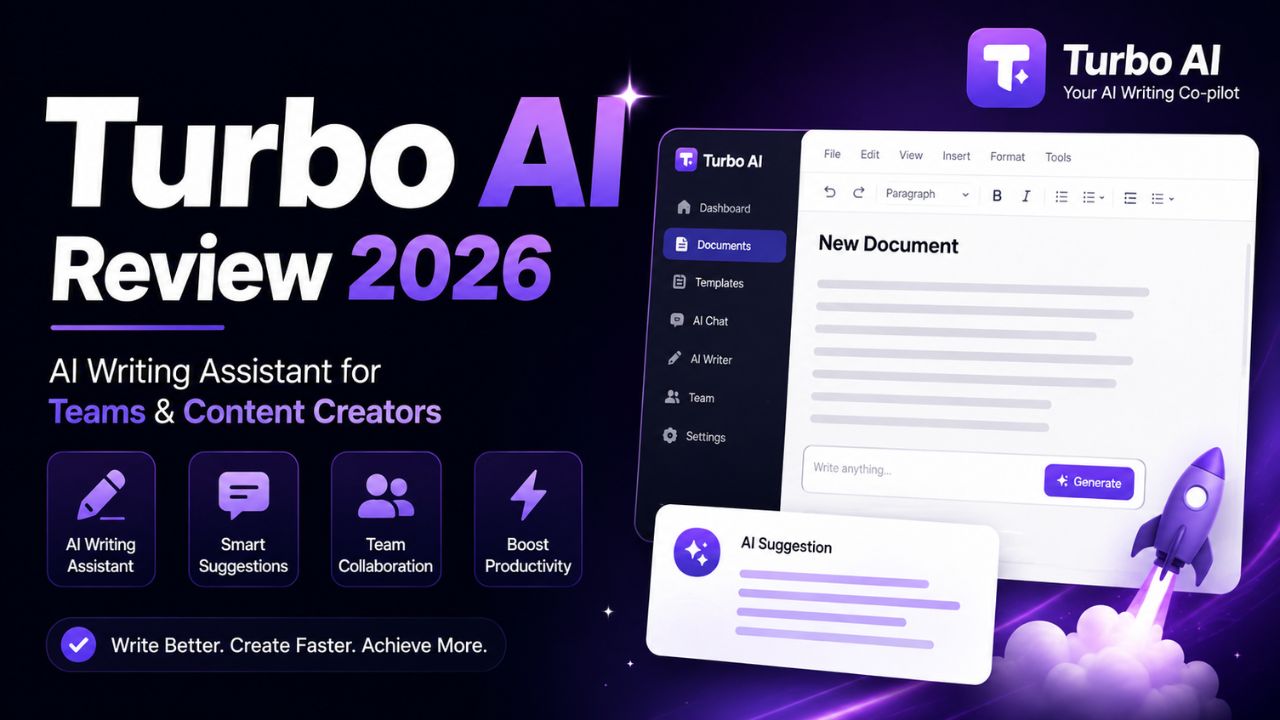
Turbo AI Review 2026 – AI Writing Assistant for Teams & Content Creators
In the fast-paced world of content creation, speed and collaboration are everything. Enter Turbo AI, an AI-powered writing assistant that promises to supercharge your team's content production. Designed for businesses, agencies, and marketing teams, Turbo AI aims to combine the power of generative AI with seamless collaboration features.
But does it live up to its name? In this comprehensive review, we'll explore everything you need to know about Turbo AI: its features, how it works, pricing, pros and cons, and how it compares to other AI writing tools. By the end, you'll know if Turbo AI is the right choice for your content creation needs.
📑 Table of Contents
- 1. What is Turbo AI?
- 2. Key Features of Turbo AI
- 3. How Turbo AI Works
- 4. Top Use Cases for Turbo AI
- 5. Turbo AI vs Other AI Writing Tools
- 6. Pros & Cons of Turbo AI
- 7. Turbo AI Pricing
- 8. Security & Privacy
- 9. Expert Tips for Using Turbo AI
- 10. Common Mistakes to Avoid
- 11. Frequently Asked Questions
- 12. Conclusion: Is Turbo AI Right for You?
1. What is Turbo AI?
Turbo AI is an AI-powered writing assistant designed specifically for teams and businesses. It combines the content generation capabilities of tools like ChatGPT with project management and collaboration features, making it a comprehensive solution for content teams.
Developed with a focus on speed and efficiency, Turbo AI enables users to generate high-quality content quickly while maintaining brand consistency. It's particularly popular among marketing agencies, content teams, and businesses that produce large volumes of written material.
The platform offers a range of features including blog post generation, social media content, ad copy, and more, all within a collaborative workspace where team members can work together on projects.
2. Key Features of Turbo AI
Turbo AI is packed with features designed to streamline content creation. Here are its standout capabilities:
- ⚡ AI Content Generation: Generate blog posts, articles, social media captions, ad copy, and more in seconds.
- 👥 Team Collaboration: Real-time collaboration features allow team members to work on documents together, leave comments, and track changes.
- 🎨 Brand Voice Customization: Create and save custom brand voices to ensure all content maintains consistent tone and style.
- 📊 Content Planning & Workflow: Built-in content calendar and project management tools to plan and track your content pipeline.
- 📈 Performance Analytics: Track the performance of your content with integrated analytics and insights.
- 🔌 Integrations: Connect with popular tools like WordPress, HubSpot, Slack, and Google Docs for seamless workflow.
- 🌐 Multi-Language Support: Generate content in multiple languages for global teams and audiences.
- 🔄 Version History: Keep track of changes with detailed version history and restore previous versions when needed.
These features make Turbo AI a versatile tool for content teams looking to improve efficiency and maintain quality.
3. How Turbo AI Works
Using Turbo AI is designed to be intuitive and efficient. Here's how the platform works:
- Create a Project: Start by creating a new project or content brief. Define your topic, target audience, and key messaging.
- Set Brand Voice: Configure your brand voice settings or choose from existing templates. This ensures all generated content aligns with your brand identity.
- Generate Content: Use the AI writing tools to generate content. You can start from scratch, use templates, or expand on existing content.
- Collaborate & Edit: Team members can review, edit, and comment on content in real-time. Use the built-in proofing and editing tools to polish your work.
- Export & Publish: Once finalized, export your content to your CMS, social media platforms, or download it in your preferred format.
Turbo AI also offers the ability to generate multiple content variations to A/B test and optimize your messaging. The platform is designed to scale with your team, handling projects of any size or complexity.
4. Top Use Cases for Turbo AI
Turbo AI is particularly well-suited for the following use cases:
- 📝 Blog & Article Writing: Quickly generate high-quality blog posts and articles with minimal editing.
- 📱 Social Media Content: Create engaging social media posts for multiple platforms in minutes.
- 📊 Marketing Copy: Generate ad copy, landing pages, and email marketing campaigns.
- 📄 SEO Content: Produce SEO-optimized content that ranks well in search engines.
- 📰 Newsletters & Email: Create compelling newsletters and email sequences with AI assistance.
- 🔄 Content Repurposing: Turn one piece of content into multiple formats (blog post to social posts, etc.).
Turbo AI is especially valuable for content teams and agencies that need to produce large volumes of content quickly while maintaining consistent quality.
5. Turbo AI vs Other AI Writing Tools
How does Turbo AI compare to other popular AI writing tools? Here's a side-by-side comparison.
| Feature | Turbo AI | Jasper | Copy.ai | Shortly AI |
|---|---|---|---|---|
| Primary Focus | Team Collaboration | Versatile Copywriting | Short-Form Copy | Long-Form Content |
| Team Collaboration | ✅ Excellent | ✅ Good | ❌ Limited | ❌ Minimal |
| Brand Voice | ✅ Customizable | ✅ Yes | ✅ Yes | ✅ Basic |
| Content Calendar | ✅ Built-in | ⚠️ (via Workflow) | ❌ | ❌ |
| Integrations | ✅ Many | ✅ Many | ⚠️ Limited | ❌ Few |
| Starting Price | $29/month | $39/month | $36/month | $29/month |
| Free Trial | ✅ 7 days | ✅ 7 days | ✅ Free plan | ✅ 3 days |
Key Takeaway: Turbo AI stands out for its robust team collaboration features, making it the best choice for content teams and agencies. Jasper offers more templates and versatility for marketing copy, while Shortly AI excels at long-form content but lacks collaboration features.
6. Pros & Cons of Turbo AI
✅ Advantages
- Team Collaboration: Real-time collaboration and project management features are industry-leading.
- Brand Voice Consistency: Customizable brand voices ensure consistent content across the team.
- Integrated Workflow: Built-in content calendar and workflow tools reduce the need for multiple tools.
- Fast Content Generation: Generates content quickly, living up to the "Turbo" name.
- Scalable: Suitable for both small teams and large enterprises.
- Good Integrations: Connects with popular marketing and productivity tools.
❌ Disadvantages
- Learning Curve: The full feature set can be overwhelming for new users.
- Pricing: The team-focused pricing can be more expensive for individual users.
- AI Quality: Like all AI tools, the quality of output depends on the clarity of your prompts.
- Fewer Templates: Has fewer templates than some competitors like Jasper.
- No Free Plan: Unlike some competitors, Turbo AI doesn't offer a permanent free plan.
Despite these drawbacks, Turbo AI offers excellent value for teams that prioritize collaboration and workflow integration.
7. Turbo AI Pricing
Turbo AI offers several pricing tiers designed for different team sizes and needs:
- Free Trial: 7-day free trial with full features to test the platform.
- Starter Plan ($29/month): For small teams. Includes 50 content generations per month, team collaboration, and standard support.
- Pro Plan ($79/month): For growing teams. Includes 200 content generations per month, advanced brand voice, and priority support.
- Business Plan ($199/month): For large teams. Unlimited content generation, custom workflows, dedicated account manager, and API access.
- Enterprise Plan (Custom): For organizations with advanced needs. Includes custom integrations, SSO, and dedicated infrastructure.
Annual discounts: All plans offer a 20% discount when billed annually.
8. Security & Privacy
For businesses, data security and privacy are critical. Turbo AI takes several measures to protect user data:
- Data Encryption: All data is encrypted in transit and at rest using industry-standard protocols.
- Data Ownership: Your content remains yours. Turbo AI does not use your data to train its models.
- Compliance: The platform is GDPR and CCPA compliant.
- Access Controls: Granular user permissions to control who can view, edit, and manage content.
- Audit Logs: Comprehensive audit logs for tracking user activity within the platform.
- Enterprise Security: Enterprise plan includes SSO, advanced security features, and dedicated infrastructure.
These security features make Turbo AI suitable for businesses of all sizes, including those with strict data governance requirements.
9. Expert Tips for Using Turbo AI
To get the most out of Turbo AI, here are some pro tips:
- Define Your Brand Voice Clearly: Spend time setting up your brand voice settings. The more specific you are, the better the AI output will be.
- Use the Content Calendar: Plan your content pipeline using the built-in content calendar to stay organized.
- Leverage Templates: Save common content structures as templates to speed up future content creation.
- Iterate with AI: Use Turbo AI to generate multiple versions of content and choose the best one.
- Integrate with Your Workflow: Connect Turbo AI to your existing tools (CMS, Slack, etc.) for a seamless workflow.
- Provide Feedback: Use the feedback mechanisms to help the AI learn and improve over time.
Following these tips will help you maximize the value of Turbo AI for your team.
10. Common Mistakes to Avoid
Even experienced users can make mistakes when using Turbo AI. Here are the most common pitfalls:
- Vague Prompts: "Write about business" is too broad. Be specific about what you need.
- Ignoring the Brand Voice: Not setting up brand voice properly leads to inconsistent content.
- Not Using Collaboration Features: Failing to leverage the team collaboration tools defeats the purpose of the platform.
- Skipping the Content Calendar: Without planning, content production can become chaotic.
- Forgetting to Iterate: The first AI-generated draft is rarely the final version. Always review and refine.
- Overlooking Analytics: Not using the performance analytics to improve your content strategy.
Avoiding these mistakes will lead to a smoother experience and better results with Turbo AI.
11. Frequently Asked Questions
- What is Turbo AI?
- Turbo AI is an AI-powered writing assistant designed for teams and businesses. It combines content generation with collaboration and project management features.
- Is Turbo AI free?
- Turbo AI offers a 7-day free trial. After that, plans start at $29/month. There is no permanent free plan.
- Is Turbo AI good for teams?
- Yes, Turbo AI is specifically designed for team collaboration with real-time editing, comments, and workflow features.
- What does Turbo AI cost?
- Turbo AI plans start at $29/month for the Starter plan, $79/month for Pro, and $199/month for Business. Enterprise pricing is custom.
- Does Turbo AI integrate with other tools?
- Yes, Turbo AI integrates with popular tools like WordPress, HubSpot, Slack, Google Docs, and more.
- Can Turbo AI generate content in multiple languages?
- Yes, Turbo AI supports content generation in multiple languages, making it suitable for global teams.
- How does Turbo AI compare to Jasper?
- Turbo AI excels at team collaboration and workflow management, while Jasper offers more templates and versatility for marketing copy.
- Is my data safe with Turbo AI?
- Yes, Turbo AI uses encryption, maintains data ownership, and is GDPR and CCPA compliant. Enterprise plans offer additional security features.
- Does Turbo AI have a mobile app?
- Currently, Turbo AI is primarily web-based, but the platform is mobile-responsive for use on tablets and smartphones.
- Can I cancel my Turbo AI subscription anytime?
- Yes, you can cancel your subscription at any time from your account settings.
12. Conclusion: Is Turbo AI Right for You?
Turbo AI is a powerful AI writing assistant that shines in team environments. Its combination of content generation, collaboration features, and workflow management makes it an excellent choice for content teams, marketing agencies, and businesses that produce large volumes of content.
While it may have a steeper learning curve and higher cost for individual users, the value for teams is undeniable. The platform's focus on brand consistency and team efficiency sets it apart from many competitors.
Choose Turbo AI if:
- You have a content team that needs collaboration tools.
- You need to maintain consistent brand voice across all content.
- You want an integrated content workflow with calendar and project management.
- You're willing to invest in a premium tool for your team.
Consider alternatives if:
- You're an individual user or solo content creator (Shortly AI may be more cost-effective).
- You need a free, permanent plan (Copy.ai offers a free tier).
- You prefer a tool with more templates and marketing-focused features (Jasper).
With its 7-day free trial, there's no risk in testing Turbo AI to see if it fits your team's workflow. Try it today and experience AI-powered content creation built for collaboration.