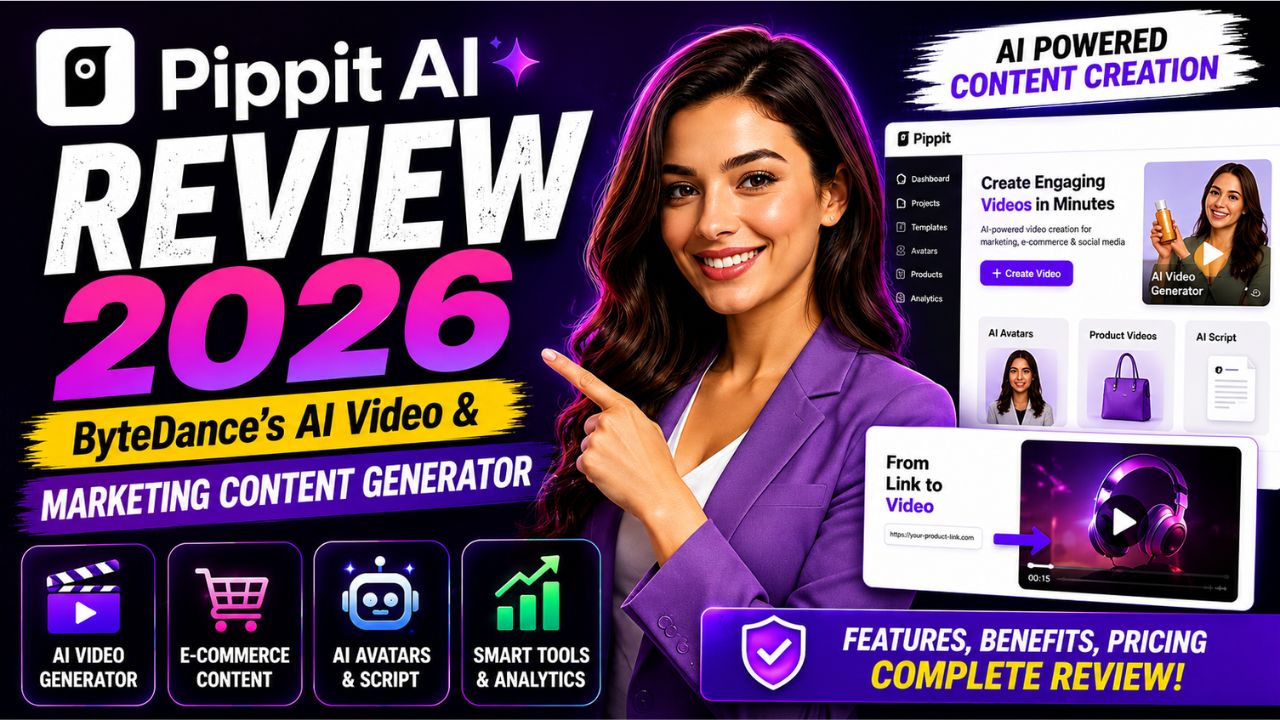
Pippit AI Review 2026 – ByteDance's AI Video & Marketing Content Generator
In the rapidly evolving world of AI-powered content creation, a new player has emerged that's turning heads – Pippit AI. Backed by ByteDance, the tech giant behind TikTok and CapCut, Pippit AI is a powerful AI video generator designed to transform how businesses create marketing content[reference:0][reference:1].
Pippit AI (formerly known as CapCut Commerce Pro[reference:2]) is a "Creative-as-a-Service" platform that promises to turn product URLs, images, and text prompts into publish-ready videos in minutes[reference:3][reference:4]. Whether you're an e-commerce seller, a social media marketer, or a content creator, this tool aims to streamline your workflow and slash production time.
In this comprehensive review, we'll explore everything you need to know about Pippit AI: its features, how it works, pricing, pros and cons, and how it compares to other AI video tools. By the end, you'll know if Pippit AI is the right creative agent for your needs.
📑 Table of Contents
- 1. What is Pippit AI?
- 2. Key Features of Pippit AI
- 3. How Pippit AI Works
- 4. Top Use Cases for Pippit AI
- 5. Pippit AI vs Other AI Video Tools
- 6. Pros & Cons of Pippit AI
- 7. Pippit AI Pricing: Free & Paid Plans
- 8. Safety, Legitimacy & Support
- 9. Expert Tips for Using Pippit AI
- 10. Common Mistakes to Avoid
- 11. Frequently Asked Questions
- 12. Conclusion: Is Pippit AI Right for You?
1. What is Pippit AI?
Pippit AI is an AI-powered content creation platform developed by ByteDance, the same company behind TikTok and CapCut[reference:5][reference:6]. Originally launched as CapCut Commerce Pro, the tool was rebranded in early 2025 to Pippit AI[reference:7].
Pippit is described as a "Creative-as-a-Service" platform designed to streamline and enhance content production[reference:8]. Its core mission is to help businesses, marketers, and creators quickly generate impactful marketing content without needing design skills or expensive production teams[reference:9].
The platform leverages advanced AI models including Seedream, Seedance 2.5, and Nano Banana Pro to deliver high-quality video and image generation[reference:10]. Pippit runs on models like Nano Banana Pro and Seedream 5.0 Pro to give you high-quality outputs with realistic proportions, lighting, and detail in seconds[reference:11]. It's best used for creating short-form marketing videos, product images, talking avatars, ads, and social-media-ready content[reference:12].
The name "Pippit" is inspired by the singing "lark" (pipit), symbolizing vitality and agility, and "pip" meaning "seed/starting point" – fitting the tool's function of helping users "quickly generate content"[reference:13].
2. Key Features of Pippit AI
Pippit AI offers a comprehensive suite of AI-powered content creation tools. Here are its standout features:
- 🎬 AI Video Generator: Turn text, links, images, or documents into compelling videos[reference:14]. Choose from multiple AI models including Sora 2, Veo 3.1, Lite mode, and Agent mode (powered by Nano Banana)[reference:15][reference:16].
- 🖼️ Link-to-Video: Paste a product URL and get a publish-ready video ad in minutes – one of Pippit's strongest features[reference:17].
- 🤖 AI Avatars & Voices: Create videos with digital avatars that fit your brand. Filter characters by age, gender, outfit, or industry[reference:18]. Supports over 50 AI voices in more than 28 languages[reference:19].
- 📱 Social Media Automation: Schedule and auto-post content to Facebook, TikTok, and Instagram[reference:20]. The Vibe Marketing tool handles brand strategy and content planning[reference:21].
- 🎨 Image & Canvas Tools: Generate images, create canvas designs, and use style transfer to turn photos into art[reference:22][reference:23].
- 📝 AI Script Generator: Generate scripts and narrative angles based on your content direction and audience data[reference:24].
- 📊 Analytics & Insights: Dashboard to gauge creative performance and shape your content strategy[reference:25].
- 📂 Commercially Licensed Templates: Access to video templates, image templates, design elements, and audio[reference:26].
- 🗣️ AI Talking Photo: Turn still images into speaking characters with natural lip-sync and voice[reference:27].
These features make Pippit AI a versatile tool for content creators, e-commerce businesses, and marketing teams.
3. How Pippit AI Works
Using Pippit AI is designed to be simple and fast. Here's how the platform works:
- Choose Your Input: Start by pasting a product URL, uploading an image, or typing a text prompt[reference:28].
- Select AI Model & Settings: Choose from models like Sora 2, Veo 3.1, Lite mode (for marketing videos), or Agent mode[reference:29]. Configure language, video duration, orientation, pacing, and aspect ratio[reference:30].
- AI Generation: The AI processes your input and generates a video or image. One test clocked a finished product ad at 3 to 4 minutes from pasted link to export[reference:31].
- Edit & Refine: Use built-in editing tools to crop, stabilize, replace backgrounds, adjust color grading, and more[reference:32].
- Export & Schedule: Download your content or use the scheduling tool to auto-post to social media platforms[reference:33].
The platform is designed for rapid experimentation and scalable content generation from a single source asset[reference:34]. You can generate multiple variations for different campaigns without organizing separate production shoots[reference:35].
4. Top Use Cases for Pippit AI
Pippit AI is particularly well-suited for the following use cases:
- 🛒 E-Commerce Product Videos: Turn product listings into cinematic video ads. Seedance 2.0, Pippit's generative video model, transforms product descriptions into short-form blockbuster videos[reference:36].
- 📱 Social Media Marketing: Create engaging content for TikTok, Instagram Reels, and YouTube Shorts with trending templates and auto-scheduling[reference:37].
- 🎭 AI Avatar Presentations: Use digital avatars to showcase products or create virtual try-ons[reference:38].
- 📊 Ad Campaigns: Generate multiple ad variations for seasonal campaigns, launch teasers, and promotional content[reference:39].
- 📝 Content Marketing: Create blog headers, social media visuals, and marketing videos quickly.
- 🌐 Multilingual Content: Reach global audiences with over 50 AI voices in 28+ languages[reference:40].
Pippit AI is especially valuable for industries where visuals heavily impact buying decisions: apparel, beauty, tech, home goods, sports, and fitness[reference:41].
5. Pippit AI vs Other AI Video Tools
How does Pippit AI compare to other popular AI video generators? Here's a side-by-side comparison.
| Feature | Pippit AI | Runway | Synthesia | HeyGen |
|---|---|---|---|---|
| Developer | ByteDance (TikTok/CapCut) | Runway ML | Synthesia | HeyGen |
| Primary Focus | Marketing & E-Commerce Videos | Creative Video Generation | AI Avatar Videos | AI Avatar & Video |
| URL-to-Video | ✅ Excellent | ❌ | ❌ | ❌ |
| Free Tier | ✅ 150 credits/week[reference:42] | ✅ Limited | ✅ Limited | ✅ Limited |
| Social Media Scheduling | ✅ Built-in | ❌ | ❌ | ❌ |
| AI Models | Seedance, Sora 2, Veo 3.1 | Gen-2, Gen-3 | Proprietary | Proprietary |
| Starting Price | $10/month (annual)[reference:43] | $15/month | $29/month | $24/month |
Key Takeaway: Pippit AI stands out for its URL-to-video capability, social media automation, and its ByteDance pedigree. It's uniquely positioned for e-commerce and marketing teams who need fast, scalable content production[reference:44].
6. Pros & Cons of Pippit AI
✅ Advantages
- Lightning-Fast Video Generation: Produce publish-ready videos in 3-4 minutes[reference:45].
- ByteDance Backing: Backed by the team behind TikTok and CapCut, ensuring robust technology[reference:46].
- URL-to-Video Magic: Paste a product link and get a video ad instantly – a game-changer for e-commerce[reference:47].
- All-in-One Platform: Combines video generation, avatar creation, scheduling, and analytics[reference:48].
- Generous Free Plan: 150 credits per week for testing the tool[reference:49].
- Multilingual Support: Over 50 AI voices in 28+ languages[reference:50].
❌ Disadvantages
- Customer Support Issues: Recurring complaints about poor support and billing problems[reference:51][reference:52].
- Mixed Reviews: 2.3/5 rating on Google Play (777 reviews) despite Product Hunt success[reference:53].
- AI Quality Limitations: Output is "feed-grade, not brand-film grade"[reference:54]. May contain AI artifacts like unnatural voiceovers or hand movements[reference:55].
- Complex Credit System: The credit system can be confusing[reference:56].
- Not for Professional Editors: Lacks fine-tuning capabilities for professionals who want a traditional editor[reference:57].
Despite these drawbacks, Pippit AI offers excellent value for its target audience of marketers and e-commerce sellers.
7. Pippit AI Pricing: Free & Paid Plans
Pippit AI offers a free plan and several paid tiers. Here's the breakdown as of July 2026[reference:58]:
- Free Plan: 150 credits per week (do not roll over)[reference:59]. Enough for up to 2 minutes of video or 75 images[reference:60]. Includes 500 GB cloud storage, link sharing, and access to some tools[reference:61]. Limited to basic features – no smart crop, video editor, background removal, or custom voice tools[reference:62].
- Starter Plan: $119.99/year (about $10/month) for 2,100 monthly credits[reference:63].
- Plus Plan: $359.99/year[reference:64].
- Pro Plan: From $90/month[reference:65].
Important: The flagship Agent Mode costs 150 credits, so the free week buys exactly one run[reference:66]. All paid prices are listed 40% below a crossed-out list price[reference:67].
8. Safety, Legitimacy & Support
Is Pippit AI legitimate? Yes. Pippit AI is a legitimate ByteDance product, developed by the same team behind TikTok and CapCut[reference:68]. It was launched in early 2025 and rebranded from CapCut Commerce Pro[reference:69].
Ratings & Reputation: The platform has a split reputation. It was #1 Product of the Day, Week, and Month on Product Hunt (April 2025)[reference:70]. However, it has a 2.3/5 rating across 777 reviews on Google Play, with recurring complaints about support and billing[reference:71].
Support Issues: Multiple users report poor customer service. One reviewer noted they "bought subscription, support has not provided us the invoice (despite many e-mails), after 8 days our monthly subscription stopped working"[reference:72]. Another said the app "could be great, but without reliable customer service and legally compliant invoicing, it's not usable for professional purposes"[reference:73].
Verdict: The tool itself is powerful, but the support and billing infrastructure needs improvement. Proceed with caution if you require reliable customer service.
9. Expert Tips for Using Pippit AI
To get the most out of Pippit AI, here are some pro tips:
- Start with a Product URL: Pippit's strongest feature is URL-to-video. Paste your product link and let the AI work its magic[reference:74].
- Use Agent Mode for Best Results: Agent mode (powered by Nano Banana) offers more sophisticated video generation[reference:75].
- Take Advantage of Free Credits: Use your 150 weekly free credits to test different features before committing[reference:76].
- Edit Generated Videos: Use the built-in editor to refine outputs – crop, stabilize, adjust colors, and more[reference:77].
- Leverage AI Avatars: Create branded avatars for consistent identity across videos[reference:78].
- Schedule Posts in Advance: Use the auto-posting feature to maintain a consistent social media presence[reference:79].
Following these tips will help you maximize the value of Pippit AI for your content creation needs.
10. Common Mistakes to Avoid
Even experienced users can make mistakes with Pippit AI. Here are the most common pitfalls:
- Expecting Hollywood-Quality Output: Pippit is great for social media and marketing, but it's "feed-grade, not brand-film grade"[reference:80].
- Ignoring Free Plan Limits: Free credits don't roll over, so use them within the week[reference:81].
- Not Reviewing AI Outputs: AI videos can contain artifacts – always review and edit before publishing[reference:82].
- Overlooking Support Issues: Be aware that customer support is a known weak point[reference:83].
- Using the Wrong AI Model: Different models (Lite, Agent, Sora 2) produce different results. Experiment to find the best fit[reference:84].
Avoiding these mistakes will lead to a smoother experience and better results with Pippit AI.
11. Frequently Asked Questions
- What is Pippit AI?
- Pippit AI is an AI-powered content creation platform developed by ByteDance (the company behind TikTok and CapCut). It helps users generate marketing videos, images, and avatars quickly[reference:85].
- Is Pippit AI free?
- Yes, Pippit AI offers a free plan with 150 credits per week, enough for up to 2 minutes of video or 75 images[reference:86]. Paid plans start at $10/month (annual)[reference:87].
- Is Pippit AI legitimate?
- Yes. Pippit AI is a legitimate ByteDance product, rebranded from CapCut Commerce Pro[reference:88].
- What is Pippit AI best for?
- Pippit AI is best for creating short-form marketing videos, e-commerce product ads, AI avatar videos, and social media content[reference:89].
- Does Pippit AI have good customer support?
- Customer support is a known weak point. Many users report slow responses and billing issues[reference:90][reference:91].
- What AI models does Pippit use?
- Pippit runs on models including Seedream, Seedance 2.5, Nano Banana Pro, Sora 2, and Veo 3.1[reference:92][reference:93].
- Can I use Pippit AI for free forever?
- Yes, the free plan is permanent, but with limited features and 150 credits per week[reference:94].
- Does Pippit AI have a watermark on free videos?
- Yes, free plan videos include a watermark[reference:95].
- What is Seedance 2.0?
- Seedance 2.0 is Pippit's generative video model that turns product descriptions into short-form video ads[reference:96].
- Is Pippit AI worth it?
- For e-commerce sellers and marketers who need fast, scalable video content, Pippit AI is a powerful tool. However, be aware of the support limitations[reference:97].
12. Conclusion: Is Pippit AI Right for You?
Pippit AI is a powerful and legitimate AI video generator backed by ByteDance, the team behind TikTok and CapCut[reference:98]. Its standout feature – URL-to-video – makes it a game-changer for e-commerce sellers and marketers who need to produce product ads in minutes[reference:99].
However, the platform has its limitations. Output quality is "feed-grade, not brand-film grade"[reference:100], and customer support is a recurring pain point[reference:101]. The credit system can be confusing, and the free plan is limited[reference:102][reference:103].
Choose Pippit AI if:
- You're an e-commerce seller needing fast product videos.
- You want an all-in-one platform for video, images, and social media scheduling.
- You're comfortable with a tool that prioritizes speed over cinema-grade quality.
- You don't rely heavily on customer support.
Consider alternatives if:
- You need Hollywood-quality video production.
- You require reliable customer support and invoicing.
- You want a traditional video editor with AI features.
With a generous free plan, there's no risk in trying Pippit AI. Visit Pippit AI today and see what it can do for your content creation.