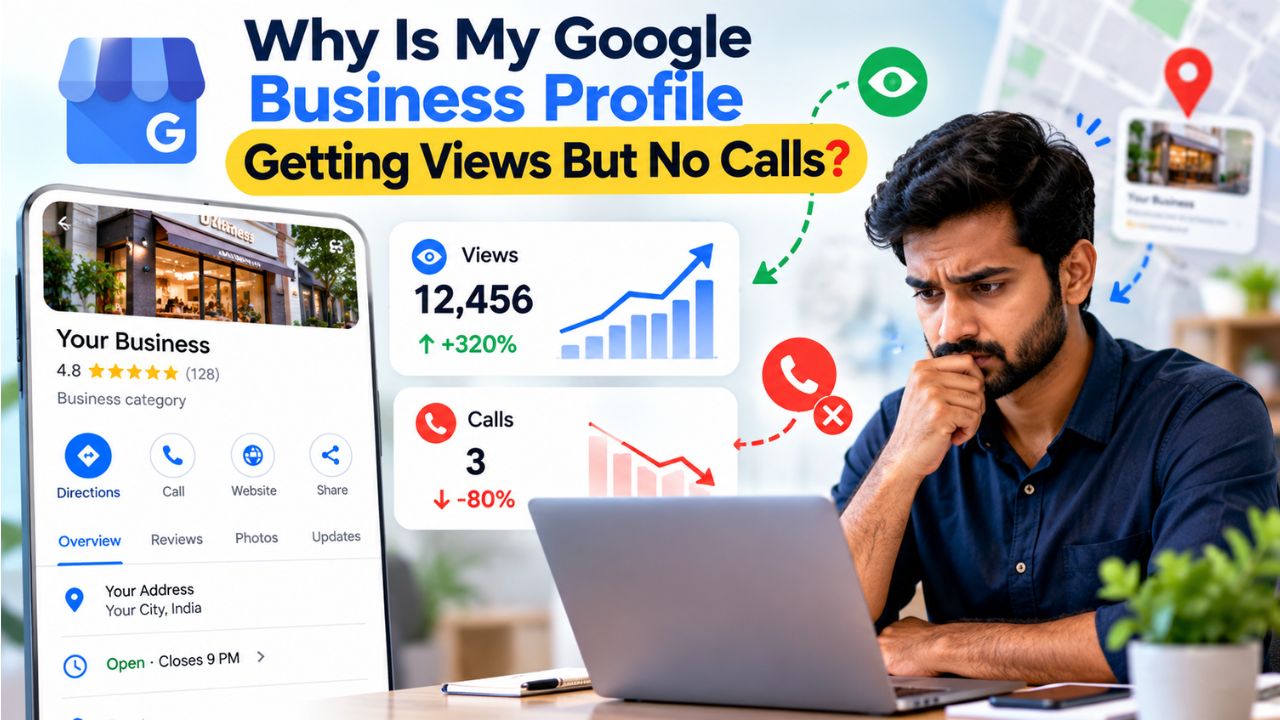
Why Is My Google Business Profile Getting Views But No Calls?
You open your Google Business Profile dashboard and see the numbers. Hundreds of views. Maybe even thousands. Your profile is showing up in searches. People are seeing your business. But the phone is not ringing. The enquiries are not coming. And you are left wondering why all that visibility is not translating into actual customers.
This is one of the most confusing and frustrating problems for small business owners, local businesses, and service providers in India. You have done the work of creating and verifying your profile. You might be ranking well in the local map pack. But views and rankings are not the same as revenue. If your Google Business Profile is getting views but no calls, the problem is almost never visibility. It is conversion.
This article will help you understand exactly why your profile is getting views but not calls, how to diagnose the specific issue affecting your business, and what practical actions you can take to fix it. You will also learn when to handle things yourself and when professional help can make a difference.
Quick Answer
A Google Business Profile gets views but no calls for one or more of these reasons: the primary call-to-action button is set to the wrong action, the profile lacks trust signals like recent reviews and real photos, the business category is too broad or mismatched, the phone number is difficult to access on mobile, Google removed the one-tap call button from organic map results on mobile, or the profile is appearing for low-intent discovery searches rather than high-intent hire-now searches. The most common root cause is an intent mismatch. Google is showing your profile to people who are not ready to call, and your profile is not convincing enough to convert those who are.
Table of Contents
What Does "Views But No Calls" Actually Mean?
Before you can fix the problem, you need to understand what the data is telling you. When your Google Business Profile shows high views but low or zero calls, it means your listing is visible but not convincing. People are seeing your profile. They are not choosing to contact you.
There is an important distinction between profile views and calls. A view means your profile appeared in someone's search results. It does not mean they looked at your profile in detail. It does not mean they read your reviews. It does not mean they compared you with competitors. It simply means Google showed your business to someone.
A call, on the other hand, is a deliberate action. Someone saw your profile, evaluated it, and decided that calling you was worth their time. The gap between a view and a call is the gap between visibility and conversion.
This gap matters because many business owners focus entirely on getting more views. They think that if they can just appear in more searches, more calls will follow. But that is not how it works. A profile that appears for the wrong searches will get views without calls. A profile that lacks trust signals will get views without calls. A profile with a broken or hard-to-find call button will get views without calls.
The goal is not more views. The goal is more of the right views from people who are ready to call, and a profile that gives them every reason to do so.
Why Your Google Business Profile Gets Views But No Calls
1. Your Primary Call-to-Action Button Is Set to the Wrong Action
What the problem is: Google lets you choose one primary action button for your profile. You can set it to Call, Book, Order Online, or a website link. Many businesses default to "Website" out of habit and never change it. This sends mobile searchers into a slower, less direct path. They have to load your website, find your number, and then decide to dial. Every extra step loses people.
Why it happens: Most business owners set up their profile once during verification and never revisit the action button setting. They assume Google knows what the business needs. But Google does not choose the button for you. You have to configure it yourself.
How to identify it: Open your Google Business Profile on a mobile phone. Look at the primary action button. Is it set to "Call" or "Website"? If it says "Website" and your business relies on phone enquiries, you have a conversion problem.
Why it affects the business: A website click sends a mobile searcher into a longer journey. They may get distracted, lose interest, or find a competitor's number before they find yours. A call button, when it works, is a direct connection.
Practical solution: Set your primary action button to Call if phone enquiries are your main source of business. For service businesses taking bookings, use the Book action tied to a real scheduling link. Check this under "Edit profile" then "Business information" then Contact. Most owners never touch it after setup.
Example: A home cleaning service in Mumbai had its profile action button set to "Website." Visitors were landing on the homepage and leaving without calling. After switching the button to "Call," the business saw a noticeable increase in phone enquiries within two weeks.
2. Google Removed the One-Tap Call Button from Organic Map Results on Mobile
What the problem is: Starting in late 2025 and continuing into 2026, Google quietly removed the one-tap call button from organic (free) map pack listings on mobile devices. Previously, a customer searching for a plumber or electrician on their phone would see a blue Call button right in the map results. One tap and they were connected. That button is gone from free listings.
Why it happens: This is a Google platform decision. It is not caused by anything wrong with your profile. Google has been shifting toward a more monetized local search experience, where paid placements get the prominent call buttons while organic listings require extra steps.
How to identify it: Search for your main service on a mobile phone. Look at your listing in the map results. Is there a call button visible? Or does the user have to tap into your full profile to find your number? If the call button is missing from the map pack, your organic listing is affected.
Why it affects the business: That extra step matters. A customer who would have called in one tap now has to tap your listing, find your phone number inside your full profile, and then tap to call. Many people will not follow through. When a competitor's paid ad appears in the same results with a one-tap call button, many customers tap that instead.
Practical solution: You cannot change Google's layout. But you can make your profile so compelling that customers are willing to take the extra step. A profile with strong reviews, real photos, and a clear description gives people a reason to tap in and find your number. You can also consider Google Ads or Local Services Ads, which can still show a call button directly in results.
3. Your Profile Appears for Low-Intent Discovery Searches
What the problem is: Google separates searches into two broad categories: discovery searches and decision searches. A discovery search is someone exploring options. A decision search is someone ready to hire now. If your profile ranks for discovery searches but not for decision searches, you will get views without calls.
Why it happens: This usually comes down to category and keyword alignment. If your primary category is too broad or your services are not listed in the way customers search for them, Google shows your profile for exploratory queries that do not carry purchase intent.
How to identify it: Open the Performance tab in your Google Business Profile. Look at the search queries that triggered your profile. Are they queries like "plumber near me" or "best electrician in Andheri"? Or are they vague queries like "home services" or "contractors"? If your top queries are broad and generic, you are getting discovery traffic, not decision traffic.
Why it affects the business: Traffic without intent is worthless. You are getting views from people who are not ready to call anyone. They are just browsing. Your profile is doing its job of appearing in searches, but it is appearing to the wrong people at the wrong time.
Practical solution: Align your categories and services with high-intent search behavior. If you are a plumber, your primary category should be "Plumber," not "Contractor." List each service separately with the words customers actually use. If you offer emergency plumbing, list "Emergency Plumber" as a service. The more precisely your profile matches what people search when they are ready to hire, the more qualified your views will be.
4. Your Business Category Is Too Broad or Mismatched
What the problem is: Your primary category is one of the strongest signals Google uses to understand your business and match it to searches. If your category is too broad or does not match your core service, Google may show your listing for less relevant searches. This inflates impressions but brings in low-intent users who are not ready to call.
Why it happens: Many businesses choose a category that describes their industry rather than their specific service. A computer repair shop might select "IT Services" instead of "Computer Repair Store." A wedding photographer might select "Photographer" instead of "Wedding Photographer." Google matches searches with categories, not with intentions.
How to identify it: Check your primary category in your Google Business Profile. Then search for your main service on Google. Does your profile appear? Search for the category name you have selected. Does your profile appear for that? If you are appearing for the category but not for the service, your category is too broad.
Why it affects the business: Even a small category mismatch can reduce visibility for high-intent searches, kill calls, and push you below competitors. You are being shown to people who are looking for something adjacent to what you do, not exactly what you do.
Practical solution: Choose the most specific primary category that accurately describes your core service. Keep secondary categories minimal and relevant. Review your category selection against what your best customers actually search for. If you are not sure, look at the search queries in your Performance tab to see what Google thinks you are relevant for.
5. Your Reviews Are Old, Thin, or Unanswered
What the problem is: Reviews are the number one conversion factor in local search. When a searcher compares nearby options, they read reviews as their final filter before dialing. A profile with four reviews from 2023 loses to a competitor with sixty reviews from the last six months, even at a slightly lower rating.
Why it happens: Many businesses ask for reviews once when they start and then stop. Or they feel awkward asking customers for reviews. Or they simply forget. Over time, their review profile becomes thin and outdated.
How to identify it: Count your reviews. Check the date of your most recent review. Look at whether you have responded to reviews, especially negative ones. If your most recent review is more than three months old, or if you have unanswered reviews, you have a trust gap.
Why it affects the business: Recency and volume are both trust signals. A profile with old reviews reads as a business that may not be active or may not care about customer feedback. An unanswered three-star review at the top of your profile costs you calls because it reads as a business that stopped caring once the sale closed.
Practical solution: Build a review-request habit into your close. A text or WhatsApp message sent right after service beats an email sent days later. Respond to every review, good and bad, within a few days. Google's own guidance on getting more reviews is explicit that incentivized reviews are a policy violation, so keep the ask simple and unconditional.
6. Your Photos Look Like Stock Images or Are Missing
What the problem is: A thin photo set signals low trust before a searcher reads a word of your description. Generic stock photography, a single blurry storefront shot, or five-year-old images read as neglected. People do not call businesses that look neglected.
Why it happens: Many businesses either do not have good photos or do not think to update them. They set up their profile with a logo and one exterior shot and never add more. Service businesses without a storefront may feel they have nothing to photograph.
How to identify it: Look at your photo gallery. Are the photos recent? Are they real? Do they show your team, your work, your premises? Or are they stock images or old pictures? Count how many photos you have. If it is fewer than ten, your profile is under-optimized.
Why it affects the business: High-converting profiles typically show real work, real locations, and real people, giving users confidence that the business is legitimate and active. Photos are silent trust builders. They do the work of convincing before you even have a chance to speak.
Practical solution: Add at least ten recent, real photos of your space, team, and work, replacing anything older than twelve months. A service business without a storefront should photograph work on-site. A plumber's before-and-after set converts better than any stock image. Add new photos regularly to signal that your business is active.
7. Your Business Description Does Not Say What You Actually Do
What the problem is: Generic lines like "We provide quality services to our valued customers" tell a searcher nothing. Someone comparing local pack profiles decides in seconds whether to tap through or move on. A vague description gives them no reason to choose you.
Why it happens: Businesses either do not know what to write, copy a generic template, or write about themselves rather than about the customer's problem. They use industry jargon or internal service names that customers do not search for.
How to identify it: Read your business description. Does it clearly state what you do, who you serve, and where you are located? Does it use the words customers would use? Or does it read like a boilerplate corporate statement? If a stranger read it, would they know exactly what you offer?
Why it affects the business: Your description is your first chance to communicate relevance. If it does not answer the question "what do you do?" in the first few words, you lose the searcher before they ever look at your reviews or photos.
Practical solution: Write a description that answers three questions in the first two sentences: what you do, who you serve, and where you are located. Use the words customers use, not internal jargon. If you are a dentist in Kochi, say "We are a family dental clinic in Kochi offering general check-ups, teeth cleaning, and emergency dental care." That is clear, relevant, and search-friendly.
8. Your Business Hours Are Incorrect or Incomplete
What the problem is: A searcher who finds your profile at 7 PM needs to know if you are open. If your hours are missing, incorrect, or unclear, they will not call. They will assume you are closed and move on.
Why it happens: Businesses set their hours once and forget to update them for holidays, seasonal changes, or special events. Or they leave the hours field blank because they are not sure what to put.
How to identify it: Check your business hours on your profile. Are they accurate? Are they complete? Do they include special hours for holidays? If you have limited hours or unusual timings, is that clearly communicated?
Why it affects the business: Incomplete or incorrect hours create friction. A customer who is ready to call may hesitate if they are not sure you are open. If they call and get no answer, they may not try again.
Practical solution: Set accurate and complete business hours. Include special hours for holidays and festivals. If your hours vary, explain that in your description. If you offer emergency services outside normal hours, state that clearly. Your profile should answer the question "can I call you right now?"
9. Your Phone Number Is Difficult to Find or Incorrect
What the problem is: The phone number is the single most important piece of information on your profile for a customer who is ready to call. If it is hidden, incorrect, or difficult to tap on mobile, you lose the call.
Why it happens: Sometimes the number is correct but formatted in a way that makes it hard to read. Sometimes it is correct on the profile but inconsistent with the number on the website. Sometimes it is simply outdated.
How to identify it: Open your profile on a mobile phone. Is your phone number visible? Can you tap it to call? Is it the correct number? Does it match the number on your website and other online listings?
Why it affects the business: A customer who has decided to call you should not have to hunt for your number. If they cannot find it easily, they will call someone else. Inconsistent numbers also confuse Google and reduce trust.
Practical solution: Ensure your phone number is correct, consistent, and easily tappable on mobile. Make sure it matches the number on your website, your other directory listings, and your social media profiles. If you use a call tracking number, make sure it forwards correctly.
10. Your Profile Looks Inactive to Google and to Customers
What the problem is: Google favors active businesses. If your profile has no recent posts, old photos, and no updates, Google assumes the business may not be important right now. Inactive profiles rarely get priority, even if they are legitimate. Customers make the same judgment.
Why it happens: Business owners set up their profile and then forget about it. They do not post updates, do not add new photos, and do not respond to reviews. The profile becomes a static listing rather than a living presence.
How to identify it: Look at your profile's activity. When was your last Google Post? When was your last new photo? When did you last respond to a review? If the answer to any of these is "months ago" or "never," your profile looks inactive.
Why it affects the business: Google uses activity signals to judge whether a business is active and relevant. Customers use the same signals to judge whether a business is still operating and worth contacting.
Practical solution: Post updates regularly. Even one post per week can make a difference. Add new photos every month. Respond to every review. Use Google Posts to share offers, updates, or helpful information. Show Google and your customers that your business is alive and active.
11. Your Competitors Look More Trustworthy
What the problem is: When a searcher sees the local map pack, they are comparing three or more businesses side by side. Even if you rank above your competitors, users compare reviews, photos, business details, and branding. If competitors look better, they get the call.
Why it happens: Competitors may have more reviews, better photos, a more compelling description, or a cleaner profile. Or they may simply have been optimizing their profile more actively than you have.
How to identify it: Search for your main service in your area. Look at the businesses that appear alongside you. Compare their review count, photo quality, description, and overall profile completeness. Would a neutral observer choose them over you?
Why it affects the business: You are not competing in a vacuum. You are competing against every other business that appears in the same search results. If your profile is weaker, you lose the call even if you rank higher.
Practical solution: Benchmark your profile against the top competitors in your area. Identify where they are stronger and improve those areas. If they have more reviews, build a review-request system. If their photos are better, invest in real photography. If their description is clearer, rewrite yours.
12. You Have No Way to Capture Leads Who Are Not Ready to Call
What the problem is: Not every visitor is ready to call immediately. Some are researching. Some are comparing options. If your profile only offers one way to contact you, you lose the people who are not ready for a phone call but might be ready for a message, a booking, or a website visit.
Why it happens: Many profiles are set up with a single action button and nothing else. There is no messaging option, no booking link, and no way for a hesitant visitor to take a smaller step.
How to identify it: Check your profile for alternative contact options. Do you have messaging enabled? Is there a booking link? Is your website link prominent and working? If your only contact option is a phone call, you are missing potential leads.
Why it affects the business: The majority of your visitors will not convert on their first visit. If you cannot capture their interest in some way, you have no way to follow up when they are ready.
Practical solution: Enable Google Business messaging so customers can send you a text message directly from your profile. Add a booking link if you take appointments. Make sure your website link is working and leads to a page that is optimized for mobile. Give visitors multiple ways to take the next step.
How to Diagnose the Problem Step by Step
Now that you understand the possible causes, here is a practical process for identifying which ones are affecting your Google Business Profile.
Step 1: Check Your Primary Action Button
Open your Google Business Profile on a mobile phone. Look at the primary action button. Is it set to "Call"? If not, and your business relies on phone enquiries, change it immediately. This is the simplest and most impactful fix.
Step 2: Check Your Performance Tab for Search Queries
Open the Performance tab in your Google Business Profile. Look at the search queries that triggered your profile. Are they high-intent queries like "plumber near me" or "dentist in Kochi"? Or are they broad, low-intent queries? If your top queries are generic, you have an intent alignment problem.
Step 3: Check Your Reviews
Count your reviews. Check the date of your most recent review. Look at whether you have responded to reviews, especially negative ones. If your most recent review is more than three months old, or if you have unanswered reviews, you have a trust gap that is costing you calls.
Step 4: Check Your Photos
Look at your photo gallery. Are the photos recent? Are they real? Do they show your team, your work, your premises? Count how many photos you have. If it is fewer than ten, or if they are old or stock images, your profile is under-optimized.
Step 5: Check Your Business Description
Read your business description. Does it clearly state what you do, who you serve, and where you are located? Does it use the words customers would use? If it reads like a generic corporate statement, rewrite it to focus on the customer.
Step 6: Check Your Business Hours and Phone Number
Verify that your business hours are accurate and complete. Check that your phone number is correct, consistent, and easily tappable on mobile. These are basic but critical details that are easy to overlook.
How to Fix the Problem
Once you have identified the specific issues affecting your Google Business Profile, here is how to fix them.
Fix Your Primary Action Button First
What to change: Set your primary action button to Call if phone enquiries are your main source of business. If you take bookings, use the Book action tied to a real scheduling link.
Why it works: Reducing friction and making the next step obvious increases the percentage of visitors who take action.
How to implement it: Go to "Edit profile" then "Business information" then Contact. Change the primary action to Call. Test it on your mobile phone to confirm it works.
What result to expect: A meaningful increase in calls from existing traffic, often within the first month.
Common mistakes: Leaving the default "Website" action in place. Using a booking link that does not work. Forgetting to test on mobile.
Fix Your Category and Service Alignment
What to change: Choose the most specific primary category for your business. List each service separately with the words customers actually use.
Why it works: Precise categories and services help Google match your profile to high-intent searches, not broad discovery queries.
How to implement it: Review your category selection. If you are a plumber, use "Plumber," not "Contractor." List services like "Emergency Plumbing," "Drain Cleaning," and "Water Heater Installation" individually.
What result to expect: More qualified views from people who are ready to hire, and fewer views from people who are just browsing.
Common mistakes: Using a broad category that describes your industry rather than your service. Listing internal service names instead of customer-facing terms.
Fix Your Trust Signals
What to change: Build a review-request habit. Add recent, real photos. Respond to every review.
Why it works: Trust is the currency of conversion. Reviews and photos are the two most visible trust signals on your profile.
How to implement it: Send a WhatsApp message or text asking for a review right after service. Respond to every review within a few days. Add at least ten new photos of your work, team, and premises.
What result to expect: Higher engagement and more calls from visitors who were previously hesitating.
Common mistakes: Asking for reviews only once. Using stock photos instead of real images. Ignoring negative reviews.
Fix Your Profile Activity
What to change: Post updates regularly. Add new photos every month. Show Google and customers that your business is active.
Why it works: Google favors active profiles. Customers trust businesses that look alive and engaged.
How to implement it: Post one Google Post per week. Share offers, updates, or helpful information. Add new photos every month. Even a simple "We are open and available for bookings" post signals activity.
What result to expect: Improved visibility in local search and increased trust from customers.
Common mistakes: Posting once and then stopping. Only posting text without images. Forgetting to update hours for holidays.
Google Business Profile Conversion Checklist
Use this checklist to independently evaluate your Google Business Profile's call-conversion readiness.
- Is my primary action button set to "Call" (or the most relevant action for my business)?
- Is my primary category specific and accurate?
- Are my services listed individually with customer-facing terms?
- Do I have at least ten recent, real photos?
- Do I have reviews from the last three months?
- Have I responded to every review, especially negative ones?
- Is my business description clear about what I do, who I serve, and where I am?
- Are my business hours accurate and complete?
- Is my phone number correct and easily tappable on mobile?
- Do I have Google Business messaging enabled?
- Do I post updates at least once a week?
- Have I added new photos in the last month?
- Does my profile look more trustworthy than my top competitors?
- Am I appearing for high-intent searches, not just broad discovery queries?
- Is my website link working and mobile-optimized?
- Have I checked my Performance tab in the last 30 days?
Problem Diagnosis Reference Table
| Problem | Possible Cause | What to Check | Recommended Action |
|---|---|---|---|
| Views but no calls | Primary action button set to "Website" | Check action button on mobile profile | Change primary action to "Call" |
| Views but no calls | Google removed call button from map pack | Search main service on mobile; is call button visible? | Optimize profile to earn the extra tap; consider Google Ads |
| Views but no calls | Appearing for low-intent discovery searches | Check Performance tab search queries | Align categories and services with high-intent terms |
| Views but no calls | Category too broad or mismatched | Search main service; does profile appear? | Choose most specific primary category |
| Views but no calls | Reviews old, thin, or unanswered | Count reviews; check most recent date | Build review-request habit; respond to all reviews |
| Views but no calls | Photos missing or look like stock images | Count photos; are they real and recent? | Add 10+ real photos of work, team, premises |
| Views but no calls | Business description vague | Read description; does it say what you do? | Rewrite with clear service, audience, location |
| Views but no calls | Profile looks inactive | Check last post date; last photo date | Post weekly; add new photos monthly |
Common Mistakes to Avoid
Mistake 1: Focusing on Views Instead of Conversion
Many business owners see high view counts and assume everything is working. They focus on getting more views. But views are not leads. A profile with 10,000 views and zero calls is less valuable than a profile with 500 views and 20 calls. Focus on conversion, not visibility.
Mistake 2: Setting Up the Profile Once and Never Touching It Again
Your Google Business Profile is not a set-it-and-forget-it asset. It requires ongoing attention. Google favors active profiles. Customers trust active profiles. If your last post was six months ago and your photos are from 2023, your profile looks abandoned.
Mistake 3: Ignoring the Mobile Experience
The majority of local searches happen on mobile. If your profile is not optimized for mobile, you are losing the majority of your potential customers. Test your profile on a real phone, not just on your desktop.
Mistake 4: Not Asking for Reviews
Reviews are the number one conversion factor in local search. If you are not actively asking satisfied customers for reviews, you are leaving trust on the table. A simple WhatsApp message after service can make a significant difference.
Mistake 5: Using Stock Photos Instead of Real Images
Stock photos signal that you have something to hide. Real photos of your team, your premises, and your work build trust. Customers want to see the real business, not a generic representation of it.
When Can You Fix It Yourself?
Not every problem requires professional help. If you are comfortable with basic profile management, you can handle many of the issues discussed in this article yourself.
You can likely fix these yourself:
- Changing your primary action button to "Call"
- Updating your business description to be clearer and more specific
- Checking and correcting your business hours and phone number
- Adding new photos to your profile
- Responding to reviews
- Posting regular Google Posts
- Asking customers for reviews via WhatsApp or text
When Should You Get Professional Help?
Some problems require technical expertise or ongoing effort that goes beyond what a business owner can reasonably manage. Consider professional help when:
- You are not appearing in local search results at all. Category and keyword optimization requires specialist knowledge to diagnose and fix.
- You have tried the basics and still are not getting calls. A professional audit can identify issues you may have missed.
- You need help with review generation at scale. Setting up a systematic review-request process requires planning and automation.
- You want to track calls and conversions properly. Call tracking and conversion measurement require technical setup.
- Your competitors are consistently outranking you. Competitive analysis and advanced optimization may be necessary.
How IndSoftwork Can Help
If your Google Business Profile is not generating calls and you have identified issues that require professional assistance, IndSoftwork can help. IndSoftwork Technology is a website development and digital services company based in Bengaluru, serving businesses across India.
If the problem involves local SEO, Google Business Profile optimization, review management, or conversion tracking, IndSoftwork can identify the underlying issues and implement the required improvements. Their services include Google Business Profile optimization, local SEO, website development, and website audit services.
For businesses that need help generating more reviews, IndSoftwork can set up a review-request system that makes it easy for satisfied customers to leave feedback. For businesses that need to improve their local visibility, their local SEO services can help ensure your business appears when nearby customers are searching.
IndSoftwork also provides Google Analytics 4 setup and conversion tracking so you can measure which actions are generating leads and which are not.
Need Help Finding the Problem?
If you are unsure why your Google Business Profile is getting views but not calls, a professional local SEO and profile audit can help identify the highest-impact issues first. You do not need to fix everything at once. Often, two or three targeted changes can make a significant difference.
To discuss your profile's conversion problems and get a clear assessment of what needs to change, you can reach out for a local SEO consultation.
Frequently Asked Questions
Why is my Google Business Profile getting views but no calls?
The most common reasons are: the primary action button is set to "Website" instead of "Call," the profile lacks recent reviews and real photos, the business category is too broad, and Google removed the one-tap call button from organic map results on mobile. The root cause is usually an intent mismatch: your profile is appearing for low-intent discovery searches rather than high-intent hire-now searches.
Did Google really remove the call button from map results?
Yes. Starting in late 2025 and continuing into 2026, Google removed the one-tap call button from organic (free) map pack listings on mobile devices. Your phone number is still on your profile, but customers now have to tap into your full listing to find it. This extra step has reduced call volume for many businesses.
How do I change my primary action button to "Call"?
Go to your Google Business Profile dashboard. Click "Edit profile," then "Business information," then "Contact." Change the primary action to "Call." Test it on your mobile phone to confirm it works.
How many reviews do I need to get calls?
There is no universal number. What matters more is recency and engagement. A profile with 20 reviews from the last six months outperforms a profile with 100 reviews from three years ago. Respond to every review, and build a habit of asking satisfied customers for feedback.
Why is my Google Business Profile not showing up in local searches?
Possible causes include category mismatch, incomplete profile information, low review count, or a lack of local relevance signals. Check your Performance tab to see what searches are triggering your profile. If you are not appearing for high-intent service searches, your category and service alignment need attention.
Should I use Google Business messaging?
Yes, especially if your customers prefer text over calls. Enabling messaging gives visitors an additional way to contact you. Many customers, particularly younger demographics in India, prefer to send a message before committing to a phone call.
How often should I post on Google Business Profile?
Post at least once a week. Google favors active profiles, and regular posts signal that your business is alive and engaged. Share updates, offers, or helpful information. Even a simple post with a photo can make a difference.
What photos should I add to my Google Business Profile?
Add real photos of your team, your premises, and your work. Avoid stock images. For service businesses, before-and-after photos of completed jobs are particularly effective. Aim for at least ten photos, and add new ones every month.
Can I track calls from my Google Business Profile?
Yes. The Performance tab in your Google Business Profile shows the number of calls made through your profile. You can also set up call tracking with a dedicated tracking number to measure calls more precisely and attribute them to specific channels.
How long does it take to see results after optimizing my profile?
Some changes, like switching the primary action button to "Call," can show results within days. Other changes, like building a review base or improving category alignment, may take a few weeks to show meaningful impact. SEO improvements typically take 2–4 months to fully materialize.
Final Takeaway
A Google Business Profile getting views but no calls is a conversion problem, not a visibility problem. The root cause is usually one of three things: an intent mismatch, a trust gap, or a friction point in the contact path. The most important fixes are: setting your primary action button to "Call," aligning your category and services with high-intent searches, building recent reviews and real photos, and posting regularly to show Google and customers that your business is active.
Start by diagnosing your situation with data. Check your Performance tab for search queries. Test your profile on a mobile phone. Compare your profile against your top competitors. Identify the specific bottleneck before making changes.
Fix the action button first. Then address category and service alignment. Then build your trust signals with reviews and photos. Then maintain activity with regular posts. These foundational changes will not only improve your profile's conversion rate but also strengthen your overall local search presence.
If you encounter technical problems that require professional expertise, or if you simply want a clear, expert assessment of what is wrong and what to prioritise, a professional local SEO audit can save you time and prevent costly mistakes.
What to Do Next
Start with the checklist in this article. Identify the two or three issues that are most likely affecting your profile. Fix those first. If you need help diagnosing technical problems or implementing improvements, a professional Google Business Profile audit can give you a clear, prioritised action plan.