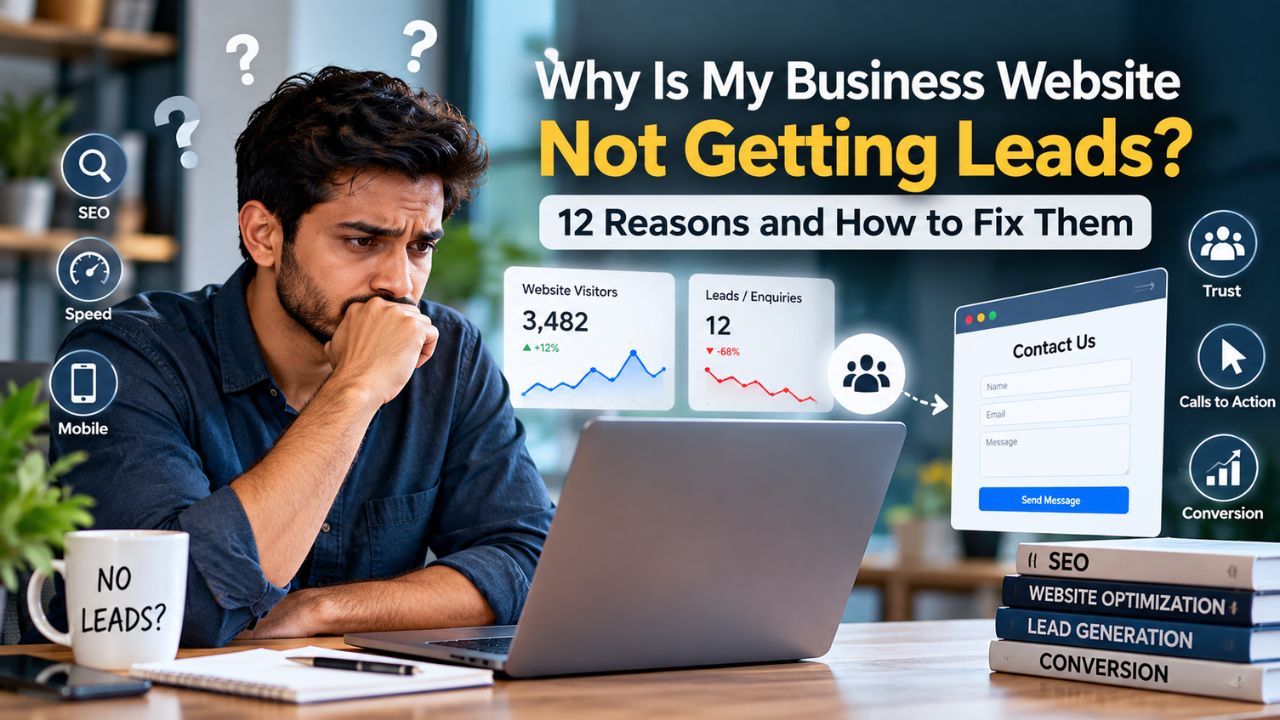
Why Is My Business Website Not Getting Leads? 12 Reasons and How to Fix Them
You built a website. You paid for the domain, the design, and maybe even some ads. But the enquiries are not coming. The phone stays silent. The contact form inbox is empty. Meanwhile, competitors with websites that look less polished than yours seem to be getting calls every day.
This is one of the most frustrating problems for small business owners, local businesses, and startups in India. You have invested time and money into your online presence, but the returns are not showing up. The good news is that the problem is rarely a mystery. In almost every case, a business website not getting leads is the result of specific, identifiable issues that can be diagnosed and fixed.
This article will help you understand exactly why your website is not generating leads, how to diagnose the problem step by step, and what practical actions you can take to fix it. You will also learn when it makes sense to handle things yourself and when professional help can save you time and money.
Quick Answer
A business website typically fails to generate leads because of one or more of these reasons: no clear call to action, slow loading speed, poor mobile experience, lack of trust signals, incorrect targeting of search intent, or zero visibility on Google. The most common root cause is that the website was built as a digital brochure rather than a lead-generation tool. Visitors arrive, see no compelling reason to contact you, and leave. Fixing this requires diagnosing which specific issue is blocking your enquiries, then implementing practical changes to conversion paths, technical performance, and search visibility.
Table of Contents
What Is Actually Causing This Problem?
Before diving into specific causes, it helps to understand the fundamental issue. Most business websites in India are built to exist, not to convert. A web designer creates a beautiful homepage, adds an about section, lists services, and calls it done. The site looks professional. It loads. It has your phone number somewhere. But it does not actively guide a visitor toward taking action.
Think of it this way: a website that generates leads works like a good salesperson. It greets the visitor, understands what they need, presents a solution, addresses doubts, and asks for the sale. A website that does not generate leads is like a brochure left on a table. It might contain useful information, but it does not start a conversation.
Here is a real-world example. A interior designer in Pune has a website with a gallery of completed projects, a list of services, and a contact page. The site receives about 400 visitors per month from Google searches. But she gets only one or two enquiries. When she asks visitors why they did not contact her, the feedback is consistent: they could not tell if she served their area, they were unsure about pricing, and they did not know what the next step was. The website answered the question “what does this business do?” but failed to answer “what should I do next?”
This is the core problem. Your website may be getting traffic, but if it is not engineered to convert that traffic into enquiries, leads will remain low. The causes below explain the specific reasons why this happens.
Why Your Website Is Not Generating Leads
1. Your Website Does Not Have a Clear Call to Action
What the problem is: A call to action (CTA) is the specific instruction you give a visitor. “Call us now.” “Get a free quote.” “WhatsApp us for pricing.” Without a clear, prominent CTA, visitors do not know what you want them to do. They may browse, read, and leave without ever realising they were supposed to contact you.
Why it happens: Many website projects focus on design and content but treat CTAs as an afterthought. A contact page buried in the navigation menu is not a CTA. A phone number in the footer is not a CTA. Effective CTAs are visible, repeated, and action-oriented.
How to identify it: Open your website on your phone. Can you find a way to contact the business within five seconds without scrolling? Is there a button that tells you exactly what to do? If you have to hunt for the contact information, your visitors will not bother.
Why it affects the business: Visitors have short attention spans. If they have to work to figure out how to contact you, most will simply leave and try the next business on Google. Every extra step reduces the number of people who complete it.
Practical solution: Place a primary CTA button above the fold on every important page. Use action words like “Get a Free Quote,” “Call Now,” or “Chat on WhatsApp.” For Indian audiences, a WhatsApp button is often the highest-converting CTA because it matches how people prefer to communicate with businesses. Repeat the CTA after every major section of content.
Example: A dentist in Bengaluru changed the primary button on his homepage from “Learn More” to “Book a Consultation on WhatsApp.” Within a month, his weekly enquiries increased because visitors no longer had to figure out how to reach him. The button told them exactly what to do and how to do it.
2. Your Website Is Too Slow
What the problem is: Website speed directly affects whether visitors stay or leave. Google research has consistently shown that a one-second delay in mobile load time can reduce conversions by up to 20%. Shopify’s data indicates that for every 100 milliseconds slower a store loads, conversion tends to drop by about 3.5%. When your site takes five or more seconds to load on a 4G connection, most visitors are gone before they see your content.
Why it happens: Common causes include unoptimised images, cheap shared hosting, too many plugins, bloated code from drag-and-drop builders, and no caching or content delivery network (CDN). In India, where mobile networks vary widely, speed issues are amplified.
How to identify it: Use Google PageSpeed Insights or run a test on WebPageTest. Check your Core Web Vitals scores. Google defines a “good” Largest Contentful Paint (LCP) as 2.5 seconds or less. If your LCP is above 4 seconds, your site is classified as “poor”. Test on a mobile connection, not just on your office Wi-Fi.
Why it affects the business: Slow sites lose visitors before they even read your offer. They also rank lower in Google search results, which means fewer people find you in the first place. Speed is both a user experience issue and an SEO issue.
Practical solution: Compress images using WebP format. Enable browser caching and a CDN. Choose a hosting provider with servers in India or a nearby region. Remove unnecessary plugins and scripts. For WordPress sites, use a lightweight theme and a caching plugin. If your site is built on a heavy page builder, consider whether a simpler structure would serve your visitors better.
3. Your Website Is Not Mobile Friendly
What the problem is: In India, the vast majority of internet users access the web primarily through smartphones. Research indicates that over 78% of Indian internet users access the web primarily on a smartphone. If your website is difficult to use on a phone—text too small, buttons too close together, horizontal scrolling, slow loading—you are losing the majority of your potential visitors.
Why it happens: Many websites are still designed on desktop first and then “made responsive” as an afterthought. The mobile version becomes a compressed version of the desktop site rather than an experience designed for how people actually use phones.
How to identify it: Open your website on your own phone. Try to tap the navigation menu. Try to fill out a contact form. Try to call the number. If any of these actions are frustrating, your visitors are experiencing the same frustration. A 2025 audit of Indian SME websites found that 67% were not properly optimised for mobile, with text too small to read and touch targets below minimum size.
Why it affects the business: Mobile visitors who cannot easily navigate your site will leave and call a competitor whose site works properly on their phone. Mobile-friendliness is also a confirmed Google ranking factor.
Practical solution: Design mobile-first, not desktop-first. Use a minimum font size of 16 pixels for body text. Make all buttons and links at least 48 pixels tall for easy tapping. Ensure phone numbers are click-to-call. Test on real devices, not just in a browser’s responsive mode.
4. Visitors Do Not Trust Your Business Yet
What the problem is: Trust is the currency of online conversion. A visitor who has never heard of your business needs to feel confident that you are legitimate, capable, and safe to contact. If your website does not provide evidence of trust, visitors will hesitate.
Why it happens: Small businesses and startups often have fewer reviews, less brand recognition, and less social proof than established competitors. Without actively building trust signals into the website, the default assumption is scepticism.
How to identify it: Look at your website from the perspective of a stranger. Is there a real address? A phone number that works? Photos of the team or the business premises? Customer reviews or testimonials with names and context? If these are missing, your website is asking for trust without earning it.
Why it affects the business: Trust barriers directly reduce conversion rates. A visitor who does not trust you will not share their phone number or email address. In India, where online fraud is a real concern, trust signals are especially important.
Practical solution: Add your full business address and a Google Map embed. Include a real photo of your team or premises. Display customer testimonials with full names and business names where possible. Link to your Google Business Profile so visitors can see reviews. Show any relevant certifications, associations, or guarantees. If you offer a free consultation or a no-obligation quote, state that clearly to reduce the perceived risk.
5. Your Website Targets the Wrong Search Intent
What the problem is: Search intent is the reason a person types a query into Google. If your website ranks for a keyword but does not answer the question the searcher actually has, the visitor will leave immediately. This is called a “bounce,” and it tells Google that your page is not a good result for that query.
Why it happens: Businesses often optimise for keywords that describe what they sell rather than what their customers are searching for. A business that sells “commercial kitchen equipment” might rank for that term, but customers are more likely searching for “restaurant kitchen setup cost in India” or “where to buy commercial gas stove in Mumbai.”
How to identify it: Open Google Search Console and look at the queries bringing traffic to your site. For each query, ask: does the page that appears actually answer this question? If a user searches “how much does a website cost in India” and lands on a page that lists your web development services without mentioning pricing, they will bounce.
Why it affects the business: Traffic without intent match is worthless. You are paying for hosting and possibly ads to send people to pages that do not give them what they came for.
Practical solution: Map each important page on your website to a specific search intent. Create content that directly answers the questions your customers are asking. If you are not sure what those questions are, look at your competitors’ FAQs, Google’s “People Also Ask” boxes, and your own customer enquiry emails.
6. You Are Not Visible on Google for Local Searches
What the problem is: If your business serves a specific city or area, you need to appear in local search results. When someone searches “plumber near me” or “best CA in Kochi,” Google shows a map pack with three local businesses. If you are not in that map pack, you are losing the highest-intent leads in your market.
Why it happens: Local visibility depends heavily on your Google Business Profile (GBP). Many Indian small businesses either do not have a GBP or have one that is incomplete, unverified, or filled with inconsistent information.
How to identify it: Search for your main service plus your city on Google. Do you appear in the map results? Search for your business name. Does a complete profile appear with photos, reviews, and hours? If not, your local visibility is weak.
Why it affects the business: Local searches have extremely high purchase intent. Someone searching “emergency electrician in Andheri” needs help now. If you are not visible, they will call someone who is.
Practical solution: Claim and verify your Google Business Profile. Fill out every field: business name, address, phone number, website, hours, categories, and attributes. Upload high-quality photos of your work and premises. Ask satisfied customers to leave reviews. Respond to all reviews professionally. Ensure your business name, address, and phone number (NAP) are identical everywhere they appear online.
7. Your Website Has No Analytics or Tracking
What the problem is: You cannot fix what you cannot measure. If you do not know how many people visit your website, where they come from, what pages they view, and where they drop off, you are guessing at solutions.
Why it happens: Many small business websites are launched without any analytics setup. The business owner checks the site occasionally, sees that it looks fine, and assumes it is working. There is no data to prove otherwise.
How to identify it: Do you have Google Analytics 4 installed? Can you see how many visitors you had last month? Do you know which pages get the most traffic? If the answer is no, you have no visibility into your website’s performance.
Why it affects the business: Without data, you cannot identify which pages are performing and which are failing. You cannot test changes or measure improvement. You are flying blind.
Practical solution: Install Google Analytics 4 (GA4) and verify that it is collecting data. Set up conversion tracking for your key actions: form submissions, phone clicks, and WhatsApp clicks. Check the real-time report after installation to confirm data is flowing. For Indian businesses, set your reporting time zone to India Standard Time (IST) and currency to Indian Rupee (INR) for accurate reporting.
8. Your Contact Form Is Too Complicated
What the problem is: Every field you add to a contact form reduces the number of people who complete it. Asking for too much information upfront creates friction and suspicion.
Why it happens: Businesses want to qualify leads before responding. They add fields for company name, budget, timeline, project details, and more. But from the visitor’s perspective, they are being asked to do work before receiving any value.
How to identify it: Count the number of fields on your contact form. If it is more than three or four, you are likely losing submissions. Check whether the form works on mobile. Check whether it sends a confirmation email to the visitor.
Why it affects the business: A complicated form signals that contacting you will be a hassle. Visitors who are just exploring will not bother. Even motivated visitors may abandon the form if it asks for information they do not have at hand.
Practical solution: Reduce your form to the essentials: name, phone number (or email), and a brief message. You can gather more information during the follow-up conversation. Make the phone number click-to-call. Offer a WhatsApp option as an alternative. Test the form yourself on mobile to ensure it works smoothly.
9. Your Website Content Does Not Address Customer Objections
What the problem is: Every potential customer has objections. They worry about price, quality, reliability, timelines, and whether you understand their specific situation. If your website does not proactively address these concerns, visitors will hesitate.
Why it happens: Businesses write about themselves—their history, their team, their capabilities—rather than about the customer’s problem and how it will be solved.
How to identify it: Read your website content. Count how many times you use “we” versus “you.” If the content is mostly about your business rather than the customer’s needs, it is not doing its job.
Why it affects the business: Visitors who have unanswered questions will not contact you. They will contact the business that answers those questions on the website.
Practical solution: Rewrite key pages to focus on the customer. Address common objections directly. For example: “We know you are worried about hidden costs. Here is exactly what our pricing includes.” “We know you need this done quickly. Here is our typical turnaround time.” Use an FAQ section to answer the questions customers ask most often.
10. Your Website Looks Outdated or Unprofessional
What the problem is: Design quality signals business quality. A website that looks like it was built in 2010 suggests a business that has not invested in itself. Visitors make snap judgments about credibility based on visual design.
Why it happens: Businesses build a website once and then leave it untouched for years. Design trends change. Technology changes. What looked modern in 2018 may look dated in 2026.
How to identify it: Compare your website to competitors who are winning business. Does yours look equally professional? Does it load as quickly? Is the typography clean and readable? Are the images high-quality? If not, you are at a disadvantage.
Why it affects the business: Visitors equate design quality with service quality. An outdated website makes it harder to justify premium pricing and harder to earn trust.
Practical solution: If your website is more than three to four years old, consider a redesign. Focus on clean typography, high-quality images, generous white space, and a clear visual hierarchy that guides visitors toward your CTA.
11. You Have No Lead Capture Mechanism for Visitors Who Are Not Ready to Buy
What the problem is: Not every visitor is ready to contact you immediately. Some are researching. Some are comparing options. If you have no way to stay in touch with these visitors, you lose them forever.
Why it happens: Most business websites only offer one conversion path: contact us now. There is no option for visitors who want more information before committing.
How to identify it: Does your website offer anything of value in exchange for an email address or WhatsApp number? A free guide, a consultation, a pricing calculator, a checklist?
Why it affects the business: The majority of your visitors will not convert on their first visit. If you cannot capture their contact information, you have no way to follow up when they are ready.
Practical solution: Create a simple lead magnet relevant to your business. For a web development company, it could be a “Website Cost Calculator” or a “Free Website Health Check.” For a consultant, it could be a “5-Point Business Audit Checklist.” Offer this in exchange for a WhatsApp number or email address. Follow up with helpful, non-salesy communication.
12. Your Website Has Technical SEO Problems
What the problem is: Technical SEO issues prevent Google from properly understanding and ranking your website. These include broken links, missing meta descriptions, duplicate content, poor site architecture, and missing schema markup.
Why it happens: Technical SEO is invisible to the average business owner. The website works, so it seems fine. But behind the scenes, there may be issues that are suppressing your search visibility.
How to identify it: Use Google Search Console to check for coverage errors, mobile usability issues, and Core Web Vitals problems. Run a technical SEO audit using a tool like Screaming Frog or Sitebulb. Look for pages that are not indexed, redirect chains, and missing title tags.
Why it affects the business: Technical problems reduce your visibility in search results. If Google cannot crawl and index your pages properly, you will not appear for the searches that matter.
Practical solution: Fix crawl errors and broken links. Ensure every page has a unique title tag and meta description. Submit an XML sitemap to Google Search Console. Implement structured data (schema markup) where appropriate. If this sounds complex, a technical SEO audit can identify exactly what needs to be fixed.
How to Diagnose the Problem Step by Step
Now that you understand the possible causes, here is a practical process for identifying which ones are affecting your website.
Step 1: Check Your Website Traffic
Open Google Analytics 4. Look at the number of visitors you received in the last 30 days. If you have very low traffic (fewer than 100 visitors per month), your problem is visibility, not conversion. Focus on SEO and local search first. If you have decent traffic but no leads, your problem is conversion.
Step 2: Check Your Conversion Rate
Divide your monthly leads by your monthly visitors. If you get 5 leads from 500 visitors, your conversion rate is 1%. While there is no universal “good” conversion rate, a rate below 1–2% for a service business usually indicates a conversion problem. If you are getting zero leads from hundreds of visitors, something is seriously broken in your conversion path.
Step 3: Check Mobile Experience
Open your website on your phone. Try to complete the primary action you want visitors to take. Time how long it takes to find the CTA, tap the phone number, or fill out the form. If it takes more than 10 seconds or requires zooming and scrolling, you have a mobile problem.
Step 4: Check Page Speed
Run your homepage through Google PageSpeed Insights. Check the mobile score. Look specifically at LCP, INP, and CLS. If LCP is above 2.5 seconds or CLS is above 0.1, you have speed issues that are likely costing you conversions.
Step 5: Check Your Calls to Action
Open your homepage. Without scrolling, can you see a clear button or instruction telling you what to do? If not, your CTA placement needs work. Check that the CTA is repeated throughout the page, not just at the top or bottom.
Step 6: Check Search Visibility
Open Google Search Console. Look at the “Performance” report. Are you getting impressions for the keywords that matter to your business? What is your average position? If you are not appearing for relevant searches, you have a visibility problem. Check your Google Business Profile to see if it is complete and verified.
How to Fix the Problem
Once you have identified the specific issues affecting your website, here is how to fix them.
Fix Your Conversion Path First
What to change: Add a prominent CTA above the fold on every important page. Simplify your contact form to three fields or fewer. Add a WhatsApp button. Make your phone number click-to-call on mobile.
Why it works: Reducing friction and making the next step obvious increases the percentage of visitors who take action.
How to implement it: Use a button with contrasting colour and action-oriented text. Place it in the header, after the main headline, and after each major content section. Test the form on mobile to ensure it works.
What result to expect: A meaningful increase in enquiries from existing traffic, often within the first month.
Common mistakes: Using vague button text like “Submit” or “Learn More.” Hiding the contact information in the footer. Using a form with ten fields.
Fix Your Website Speed
What to change: Compress and convert images to WebP. Enable caching and a CDN. Remove unused plugins and scripts. Upgrade to better hosting if necessary.
Why it works: Faster pages keep visitors engaged and signal quality to Google.
How to implement it: Use a plugin like WP Rocket for WordPress or configure server-level caching. Use an image optimisation service. Choose hosting with data centres in India or Singapore.
What result to expect: Lower bounce rates, higher engagement, and improved search rankings over time.
Common mistakes: Only testing speed on desktop. Ignoring mobile speed. Optimising the homepage but neglecting inner pages.
Fix Your Local Search Presence
What to change: Claim and fully optimise your Google Business Profile. Ensure NAP consistency across all directories.
Why it works: GBP is the primary source of local business information for Google and for customers.
How to implement it: Go to google.com/business and claim your profile. Add your business category, service areas, hours, phone number, and website. Upload photos. Ask customers for reviews.
What result to expect: Increased visibility in local map results and more phone calls from nearby customers.
Common mistakes: Using a virtual office address when you serve customers at their location. Keyword-stuffing your business name. Ignoring reviews.
Fix Your Content and Trust Signals
What to change: Rewrite content to focus on customer needs. Add testimonials, real photos, and clear pricing information where possible.
Why it works: Trust reduces hesitation. Customer-focused content answers the question “what is in it for me?”
How to implement it: Add a testimonials section with full names and business names. Include a photo of your team. Address common objections in an FAQ.
What result to expect: Higher engagement and more enquiries from visitors who were previously hesitating.
Common mistakes: Using stock photos instead of real images. Fake or generic testimonials. Writing about yourself instead of the customer.
Website Problem-Solving Checklist
Use this checklist to independently evaluate your website’s lead-generation readiness.
- Can I find a way to contact the business within 5 seconds of landing on the homepage on mobile?
- Is there a clear CTA button visible without scrolling?
- Does the website load in under 3 seconds on a 4G mobile connection?
- Is the contact form simple (3 fields or fewer)?
- Does the form work correctly on mobile?
- Is there a click-to-call phone number and a WhatsApp button?
- Are there real photos of the team or premises?
- Are there customer testimonials with names and context?
- Is my Google Business Profile complete and verified?
- Is my business NAP consistent across all online listings?
- Do I have Google Analytics 4 installed and collecting data?
- Am I tracking form submissions, phone clicks, and WhatsApp clicks as conversions?
- Does my content address customer objections and questions?
- Does my website rank for the keywords my customers search for?
- Is my website free of broken links and technical errors?
- Does my site have unique title tags and meta descriptions for each page?
Problem Diagnosis Reference Table
| Problem | Possible Cause | What to Check | Recommended Action |
|---|---|---|---|
| No enquiries despite traffic | No clear CTA | Can you see a contact option in 5 seconds on mobile? | Add prominent CTA button above the fold |
| High bounce rate | Slow loading speed | PageSpeed Insights mobile score; LCP above 2.5s? | Compress images, enable caching, upgrade hosting |
| Mobile visitors do not convert | Poor mobile experience | Test site on a real phone; text readable? buttons tappable? | Redesign mobile-first; minimum 16px font, 48px touch targets |
| Visitors hesitate to contact | Lack of trust signals | Is there a real address, team photos, testimonials? | Add GBP link, real photos, named testimonials, guarantee |
| Not appearing in local searches | Incomplete Google Business Profile | Search for business name; does full profile appear? | Claim and fully optimise GBP; ensure NAP consistency |
| Zero leads from existing traffic | No analytics tracking | Is GA4 installed? Can you see visitor numbers? | Install GA4; set up conversion tracking for key actions |
| Traffic but no conversions | Wrong search intent | Do landing pages answer the query that brought the visitor? | Map pages to search intent; create targeted content |
Common Mistakes to Avoid
Mistake 1: Blaming Traffic When the Problem Is Conversion
Many business owners assume they need more traffic. They invest in ads or SEO to drive more visitors to a website that does not convert. This is like pouring water into a leaking bucket. Fix the conversion path first. A website that converts 5% of 200 visitors will generate more leads than one that converts 0.5% of 2,000 visitors.
Mistake 2: Copying a Competitor’s Website Without Understanding Why It Works
You see a competitor’s website and assume it is successful because of its design. But design is only one factor. Their success might come from their reputation, their pricing, their location, or their years in business. Copying their design without understanding your own customers’ needs will not solve your lead problem.
Mistake 3: Adding More Content Without Fixing Technical Issues
Publishing more blog posts will not help if your website is slow, not mobile-friendly, or not indexed by Google. Fix the foundation before adding more content.
Mistake 4: Ignoring the Power of WhatsApp for Indian Audiences
In India, WhatsApp is often the preferred communication channel for business enquiries. If your website does not offer a WhatsApp contact option, you are making it harder for potential customers to reach you. A WhatsApp button reduces friction and increases conversion rates.
Mistake 5: Not Following Up with Leads Who Have Already Contacted You
If someone fills out your form or calls you, and you do not respond promptly, you have wasted the lead. Set up automated acknowledgements and respond to every enquiry within a few hours. Speed of response is often the deciding factor between you and a competitor.
When Can You Fix It Yourself?
Not every problem requires professional help. If you are comfortable with basic website management, you can handle many of the issues discussed in this article yourself.
You can likely fix these yourself:
- Adding a clear CTA button to your homepage and service pages
- Simplifying your contact form
- Adding a WhatsApp button (many plugins make this easy)
- Claiming and optimising your Google Business Profile
- Installing Google Analytics 4
- Compressing images using free online tools
- Adding testimonials and real photos to your website
- Writing content that addresses customer objections
When Should You Get Professional Help?
Some problems require technical expertise that goes beyond what a business owner can reasonably manage. Consider professional help when:
- Your website is technically slow despite basic optimisation efforts. Diagnosing and fixing server-level issues, code bloat, and hosting configuration requires technical expertise.
- You have a mobile usability problem that requires redesign. Making a website genuinely mobile-first often means rebuilding the layout, not just adjusting CSS.
- You are not appearing in search results at all. Technical SEO problems—crawl errors, indexing issues, poor site architecture—require specialist knowledge to diagnose and fix.
- You have no analytics data and do not know how to set up tracking. Proper GA4 setup and conversion tracking is technical work.
- You need a website redesign but do not have design skills. A professional designer will create a site that looks credible, loads fast, and converts visitors.
- Your website has been compromised or has security issues. Security problems require immediate professional attention.
How IndSoftwork Can Help
If your business website is not generating leads and you have identified issues that require professional assistance, IndSoftwork can help. IndSoftwork Technology is a website development and digital services company based in Bengaluru, serving businesses across India.
If the problem involves website performance, technical SEO, mobile optimisation, or conversion tracking, IndSoftwork can identify the underlying issues and implement the required improvements. Their services include business website development, WordPress development, SEO-friendly website architecture, Google Business Profile optimisation, and website maintenance.
For businesses that need a complete overhaul, IndSoftwork offers website redesign services focused on performance and lead generation. For businesses that need to improve visibility in local search, their local SEO and GBP optimisation services can help ensure your business appears when nearby customers are searching.
IndSoftwork also provides website audit services to identify the specific technical and conversion issues affecting your site, and Google Analytics 4 setup so you can measure what is working and what needs improvement.
Need Help Finding the Problem?
If you are unsure why your website is not generating enough enquiries, a professional website and SEO audit can help identify the highest-impact issues first. You do not need to fix everything at once. Often, two or three targeted changes can make a significant difference.
To discuss your website’s lead-generation problems and get a clear assessment of what needs to change, you can reach out for a website audit or consultation.
Frequently Asked Questions
Why is my website getting traffic but no leads?
Traffic without leads usually means the website is not designed to convert. Common causes include no clear call to action, a complicated contact form, lack of trust signals, or content that does not address customer objections.
How do I know if my website is mobile-friendly enough for Indian users?
Test your website on a real smartphone. Check whether text is readable without zooming, buttons are easy to tap, and contact forms work smoothly.
What is a good conversion rate for a small business website in India?
Conversion rates vary by industry and traffic source. Instead of relying on one universal benchmark, track your own conversion rate and work to improve it over time.
How fast should my website load on mobile?
A good target is to have the main content load quickly and provide a responsive experience on mobile devices. Core Web Vitals can be used to evaluate important aspects of page performance.
Do I need a Google Business Profile if I already have a website?
For local businesses, a Google Business Profile can complement a website by helping the business appear in Google Search and Maps for relevant local searches.
Why is my website not showing up on Google?
Possible causes include indexing problems, technical SEO issues, insufficient relevant content, or a mismatch between the page and the searches you want to appear for. Google Search Console is a useful starting point for checking indexing.
Should I use WhatsApp as a contact option on my website?
WhatsApp can be a useful contact option for businesses whose customers prefer messaging. It can provide an additional way for visitors to start a conversation.
How often should I update my business website?
Review your website regularly for outdated business information, broken links, performance problems and conversion issues. Update important information whenever your services or business details change.
What is the difference between SEO and local SEO?
SEO focuses on improving visibility in search engines generally, while local SEO focuses on visibility for searches associated with a specific geographic area and local business.
How long does it take to see results after fixing website problems?
The timeframe depends on the problem and the type of improvement. Conversion changes can sometimes be measured relatively quickly, while SEO improvements may require more time to evaluate.
Final Takeaway
A business website not getting leads is almost always a solvable problem. The root cause is usually not a lack of traffic but a failure to convert the visitors you already have. The most important issues to address are: a clear and visible call to action, fast loading speed on mobile, a mobile-friendly design, visible trust signals, and proper local search visibility.
Start by diagnosing your situation with data. Check your traffic and conversion rate in Google Analytics. Test your website on your own phone. Look at your Google Search Console data. Identify the specific bottleneck before investing in solutions.
Fix the conversion path first—CTA, form, WhatsApp, trust signals. Then address technical issues like speed and mobile usability. Then improve your local search presence with a fully optimised Google Business Profile. Only after these foundations are solid should you invest in driving more traffic.
If you encounter technical problems that require professional expertise, or if you simply want a clear, expert assessment of what is wrong and what to prioritise, a professional website audit can save you time and prevent costly mistakes.
What to Do Next
Start with the checklist in this article. Identify the two or three issues that are most likely affecting your website. Fix those first. If you need help diagnosing technical problems or implementing improvements, a professional website audit can give you a clear, prioritised action plan.