How to Use Google AI Studio for App Development in 2026 – Complete Guide
In 2026, integrating AI into your applications is no longer a nice-to-have—it's expected by users. Google AI Studio is the gateway for developers to build AI-powered apps using Google's cutting-edge Gemini models. Whether you're creating a chatbot, a content generator, or a data analysis tool, AI Studio provides the tools to bring your ideas to life.
This comprehensive guide will walk you through everything you need to know about using Google AI Studio for app development. From setting up your project to integrating the Gemini API, designing effective prompts, and deploying your application, we'll cover it all with practical, real-world examples.
By the end of this guide, you'll have the knowledge and confidence to build powerful AI applications using Google AI Studio and the Gemini API.
📑 Table of Contents
- 1. What is Google AI Studio?
- 2. Why Use Google AI Studio for App Development?
- 3. Getting Started with Google AI Studio
- 4. Prompt Engineering: The Key to Quality Output
- 5. Integrating the Gemini API into Your App
- 6. Real-World App Development Examples
- 7. Best Practices for AI Studio Development
- 8. Common Mistakes to Avoid
- 9. Deploying Your AI-Powered App
- 10. Frequently Asked Questions
- 11. Conclusion: Start Building Your AI App Today
1. What is Google AI Studio?
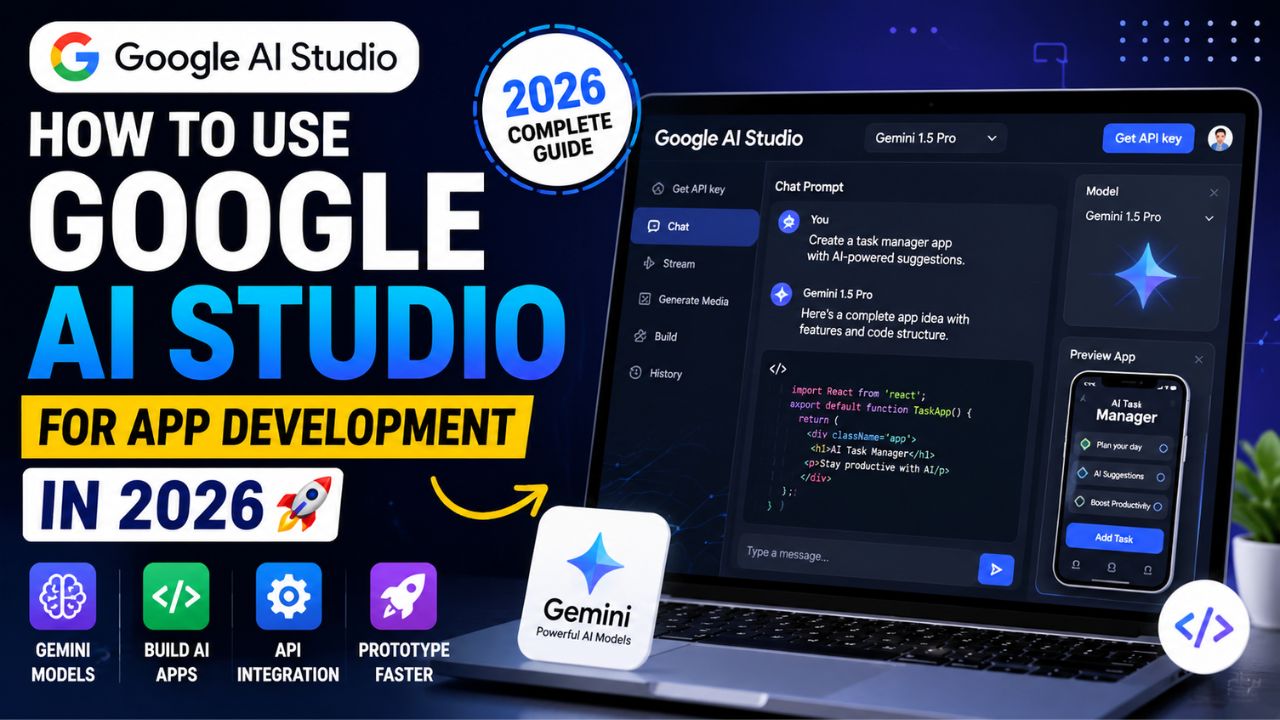
Google AI Studio is a free, web-based development platform that allows developers to build, test, and deploy AI applications using Google's Gemini models. Formerly known as MakerSuite, it provides a simple interface for prompt design, model tuning, and API integration.
For app development in 2026, Google AI Studio offers:
- Rapid prototyping – Test ideas quickly without writing complex code.
- Access to Gemini models – Gemini Pro, Flash, and Nano.
- API integration – Seamless connection to your application.
- Fine-tuning capabilities – Customize models for your specific use case.
- Free tier – Generous limits for prototyping and development.
Google AI Studio is the fastest way to bring AI to your applications, bridging the gap between idea and implementation.
2. Why Use Google AI Studio for App Development?
There are several compelling reasons to choose Google AI Studio for your app development needs in 2026:
- 🚀 Speed to Market: Prototype and test AI features in minutes, not weeks. The intuitive interface removes many barriers to entry.
- 💰 Cost-Effective: The free tier is generous, and even production pricing is competitive compared to other AI providers.
- 🧠 Access to State-of-the-Art Models: Gemini models are among the most capable in the world, with strong reasoning, multi-modal capabilities, and context windows up to 1M tokens.
- 🔌 Easy Integration: The Gemini API is well-documented and supports multiple programming languages (Python, JavaScript, etc.).
- 📈 Scalability: Start on the free tier and scale to production with Google Cloud's robust infrastructure.
- 🔒 Enterprise-Ready: For production applications, move to Vertex AI for enterprise-grade security and compliance.
These factors make Google AI Studio an excellent choice for startups, individual developers, and enterprise teams alike.
3. Getting Started with Google AI Studio
Here's how to start using Google AI Studio for app development:
- Sign In: Go to the Google AI Studio website and sign in with your Google account.
- Create a Project: Click "Create New" to start a project. Name it and add a description.
- Choose a Model: Select a Gemini model (Gemini Flash is great for prototyping).
- Design Your Prompt: Start with a simple prompt to test the model's capabilities.
- Test and Iterate: Run your prompt and refine it based on the output.
- Generate API Key: From the project settings, generate an API key to integrate into your app.
- Integrate with Your App: Use the provided code snippets (Python, JavaScript) to call the Gemini API.
Here's a basic Python example to get you started:
import google.generativeai as genai

# Configure your API key
genai.configure(api_key="YOUR_API_KEY")

# Choose a model
model = genai.GenerativeModel('gemini-pro')

# Generate content
response = model.generate_content("Explain quantum computing to a beginner.")
print(response.text)
This simple script connects to the Gemini API and returns a response based on your prompt.
4. Prompt Engineering: The Key to Quality Output
When using Google AI Studio for app development, the quality of your output depends significantly on your prompts. Here are the key principles of prompt engineering:
- Be Specific: Clearly state what you want. Instead of "Write a blog post," try "Write a 500-word blog post for small business owners about the benefits of using AI for customer service."
- Provide Context: Include relevant background information. If you're building a customer support bot, provide examples of common customer questions and the desired response style.
- Use Examples (Few-Shot Prompting): Show the model what you want with examples. For instance, provide a few sample Q&A pairs before asking it to handle new queries.
- Specify Format: Tell the model how you want the output structured. For example, "Return the result as a JSON object with fields 'summary' and 'key_points'."
- Set the Tone: Define the desired tone (e.g., "professional," "conversational," "humorous").
- Iterate and Refine: Prompt engineering is iterative. Test different variations and improve based on the results.
Mastering prompt engineering is one of the most important skills for successful AI app development.
5. Integrating the Gemini API into Your App
The Gemini API is the bridge between your application and Google's AI models. Here's how to integrate it effectively:
Authentication
You'll need an API key, which you can generate from Google AI Studio. For production applications, consider using service accounts for more secure authentication.
API Endpoints
The Gemini API provides several endpoints:
- generateContent: The primary endpoint for generating text, images, and multi-modal content.
- chat: A specialized endpoint for multi-turn conversations.
- embedding: Generate embeddings for search and semantic applications.
- countTokens: Estimate token usage before sending a request.
Basic Request Structure
A typical request to the Gemini API includes:
- The model name (e.g., "gemini-pro").
- The prompt or conversation history.
- Optional parameters like temperature, top_p, and max_output_tokens.
Here's a more advanced Python example with a chat conversation:
import google.generativeai as genai

genai.configure(api_key="YOUR_API_KEY")
model = genai.GenerativeModel('gemini-pro')
chat = model.start_chat(history=[])

response = chat.send_message("What are the best practices for mobile app development?")
print(response.text)

# Continue the conversation
response = chat.send_message("Can you expand on the UX considerations?")
print(response.text)
Multi-Modal Input
Gemini models (like Gemini Pro Vision) can also accept images, audio, and video. This allows you to build powerful multi-modal applications.
6. Real-World App Development Examples
Here are three practical examples of using Google AI Studio for app development in 2026:
Example 1: Customer Support Chatbot
Goal: Build a chatbot that answers customer queries about a product catalog.
- Prompt design: "You are a helpful customer support agent for an electronics store. Answer the user's question about product specifications, pricing, or availability. If you don't know the answer, politely say so."
- Integration: Connect the Gemini API to a messaging platform (e.g., WhatsApp, Slack, or a web chat widget).
- Result: A 24/7 virtual assistant that handles common queries, freeing up human agents for complex issues.
Example 2: AI-Powered Content Generator
Goal: Build a tool that generates marketing copy for e-commerce product listings.
- Prompt design: "Generate a persuasive product description for a [product name]. Target audience: [audience]. Highlight [key features]."
- Integration: Build a web app where users input product details and receive ready-to-use copy.
- Result: A productivity tool that saves marketers hours of writing time.
Example 3: Data Analysis & Visualization
Goal: Analyze CSV data and generate insights and visualizations.
- Prompt design: "Analyze the following data and provide key trends, outliers, and suggestions for action. Format the response as a structured report."
- Integration: Accept uploaded CSV files, call the Gemini API, and display the analysis results.
- Result: A powerful tool that turns raw data into actionable intelligence.
These examples demonstrate the versatility of Google AI Studio for building a wide range of AI applications.
7. Best Practices for AI Studio Development
To get the most out of Google AI Studio app development, follow these best practices:
- Start Simple: Begin with a basic prompt and iteratively add complexity. This helps you understand the model's strengths and limitations.
- Use Structured Outputs: Request responses in a specific format (JSON, markdown, etc.) to make parsing easier.
- Handle Errors Gracefully: Implement proper error handling for API calls, including rate limits and model-specific errors.
- Optimize Token Usage: Be mindful of token limits to control costs. Use the countTokens endpoint to estimate usage.
- Cache Responses: For repeated queries, cache responses to reduce API calls and costs.
- Monitor Performance: Use Google Cloud monitoring tools to track API usage, latency, and errors.
- Stay Updated: Google regularly updates its models and API. Keep an eye on the official documentation for new features and best practices.
Following these practices will help you build robust, efficient AI applications.
8. Common Mistakes to Avoid
When using Google AI Studio for app development, avoid these common pitfalls:
- Vague Prompts: "Write something about AI" is too broad. Be specific to get relevant results.
- Ignoring Response Quality: Not reviewing and iterating on AI responses leads to poor user experience.
- Overlooking Security: Never hardcode API keys. Use environment variables or secret management tools.
- Not Handling Edge Cases: Consider how your app behaves when the model returns unexpected or irrelevant responses.
- Exceeding Rate Limits: Monitor your API usage to avoid throttling. Implement exponential backoff for retries.
- Forgetting Multi-Modal Support: If your app could benefit from images or video, leverage Gemini's multi-modal capabilities.
Avoiding these mistakes will save you time and ensure a smoother development process.
9. Deploying Your AI-Powered App
Once you've built your application with Google AI Studio, it's time to deploy it. Here's how:
- Move to Production API Keys: Generate production-ready API keys with appropriate usage limits.
- Consider Vertex AI: For large-scale applications, migrate to Vertex AI for advanced features like model monitoring, versioning, and A/B testing.
- Deploy Your Application: Host your app on a platform of your choice (Google Cloud Run, App Engine, Firebase, or third-party hosts).
- Monitor and Optimize: Continuously monitor performance, user feedback, and model output quality. Iterate based on real-world usage.
- Scale with Confidence: Google Cloud's infrastructure ensures your AI application can scale seamlessly as demand grows.
Google AI Studio provides a smooth path from prototyping to production, making it easy to take your AI app from idea to reality.
10. Frequently Asked Questions
- What is Google AI Studio?
- Google AI Studio is a free, web-based development platform for building and testing AI applications using Google's Gemini models.
- How do I get started with Google AI Studio for app development?
- Sign up at the Google AI Studio website, create a project, choose a Gemini model, design your prompt, and generate an API key for integration.
- What models are available in Google AI Studio?
- Google AI Studio provides access to Gemini Pro, Gemini Flash, Gemini Nano, and specialized variants like Gemini Pro Vision.
- Is Google AI Studio free for app development?
- Yes, Google AI Studio offers a generous free tier for prototyping and development. For production, you'll likely need a paid Google Cloud plan.
- How do I integrate the Gemini API into my app?
- Generate an API key from Google AI Studio, then use the provided SDKs (Python, JavaScript, etc.) to make API calls from your application.
- What is the difference between Google AI Studio and Vertex AI?
- Google AI Studio is for prototyping and experimentation, while Vertex AI is for enterprise-scale deployment and full MLOps.
- Can I use Google AI Studio for commercial applications?
- Yes, you can use models from Google AI Studio in commercial applications, but note that the free tier has usage limits. For production, you'll need to upgrade to a paid plan or use Vertex AI.
- What are the usage limits for Google AI Studio?
- The free tier typically allows up to 60 requests per minute. Higher usage requires upgrading to a paid Google Cloud plan.
- Does Google AI Studio support fine-tuning?
- Yes, Google AI Studio supports basic fine-tuning of Gemini models on custom datasets (available in some regions).
- Is Google AI Studio available worldwide?
- Google AI Studio is available in many countries, but some features (like fine-tuning) may be restricted in certain regions.
11. Conclusion: Start Building Your AI App Today
Google AI Studio is a game-changer for app development in 2026. It removes the complexity of AI integration, allowing developers to focus on building innovative applications that leverage the power of Google's Gemini models.
Whether you're building a simple chatbot or a complex data analysis tool, Google AI Studio provides the tools you need to bring your ideas to life. Start with the free tier, experiment with prompts, and iterate based on feedback. When you're ready to scale, Google Cloud's infrastructure is there to support you.
Key Takeaways:
- Google AI Studio is free, easy to use, and provides access to cutting-edge Gemini models.
- Mastering prompt engineering is essential for getting quality AI outputs.
- The Gemini API is well-documented and supports multiple programming languages.
- Real-world applications range from chatbots and content generators to data analysis tools.
- Follow best practices, avoid common mistakes, and plan for production deployment.
Ready to build your AI-powered app? Dive into Google AI Studio today and start creating. The future of app development is intelligent—and it's waiting for you.