
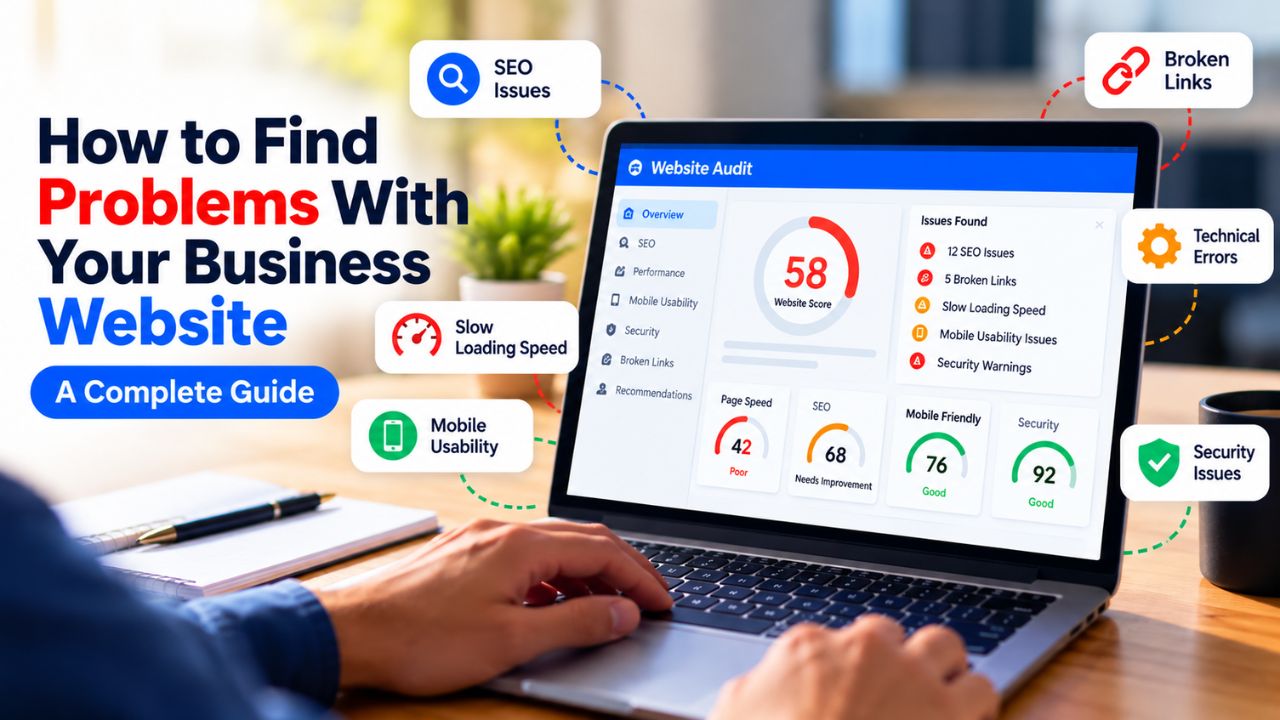
How to Find Problems With Your Business Website: A Complete Guide
Your website is your hardest-working salesperson. It never sleeps, never takes a day off, and talks to every potential customer who visits. But unlike a human salesperson, it cannot tell you when something is wrong. It will not raise its hand and say, "I am losing customers because I am slow," or "People are leaving because they cannot find the contact button." You have to find the problems yourself.
Many business owners in India and around the world treat their website as a one-time project. They build it, launch it, and then move on to other things. Months or years later, they wonder why it is not generating leads, why traffic is low, or why visitors do not convert. The answer is almost always that there are specific, fixable problems that have been silently costing them money.
This guide will show you exactly how to find problems with your business website. You will learn what to look for, which tools to use, and how to prioritise the issues that matter most. By the end, you will have a clear, practical process for auditing your own website and identifying the highest-impact problems first.
Quick Answer
To find problems with your business website, start by checking three things: speed, mobile experience, and conversion path. Use free tools like Google PageSpeed Insights, Google Search Console, and Google Analytics to gather data. Test your website on a real mobile phone. Check if visitors can easily find your contact information and if your forms work. Look for broken links, missing pages, and outdated content. Then review your search visibility and local listings. The most common problems are slow loading, poor mobile design, unclear calls to action, lack of trust signals, and technical SEO errors. Fixing these issues can dramatically improve leads and sales.
Table of Contents
Why Finding Problems Matters
Every problem on your website has a cost. A slow page loses visitors before they even see your offer. A confusing navigation menu frustrates people who want to buy. A missing phone number means potential customers call your competitor instead. These problems do not announce themselves. They quietly reduce your leads, sales, and revenue.
Finding problems early is much cheaper than fixing them later. A small issue like a broken contact form can be fixed in minutes. But if it goes unnoticed for months, you could lose hundreds of potential customers. Regular website audits help you catch problems before they become expensive.
For small businesses in India, where competition is fierce and customers have many choices, your website needs to be at its best. Even a few seconds of delay or a minor usability issue can send customers to a competitor. The good news is that most problems are easy to find if you know where to look.
Common Types of Website Problems
1. Speed and Performance Problems
What it is: Your website loads slowly on desktop or mobile. Pages take more than three seconds to become usable.
Why it happens: Unoptimised images, cheap hosting, too many plugins, bloated code, and lack of caching are common causes.
How to identify it: Use Google PageSpeed Insights. If your mobile score is below 50, or if Largest Contentful Paint (LCP) is above 2.5 seconds, you have a speed problem.
Why it matters: Slow websites lose visitors. Google also uses speed as a ranking factor, so slow sites rank lower.
2. Mobile Usability Problems
What it is: Your website is difficult to use on a smartphone. Text is too small, buttons are too close together, or the layout breaks.
Why it happens: Websites designed for desktop first often do not adapt well to mobile. In India, over 78% of internet users access the web primarily on mobile, so this is critical.
How to identify it: Open your website on your own phone. Try to tap the menu, fill a form, and call the number. If it is frustrating, your visitors feel the same.
Why it matters: Mobile visitors who cannot use your site will leave and call a competitor.
3. Conversion Path Problems
What it is: Visitors cannot easily find how to contact you, or the contact form is too complicated.
Why it happens: No clear call to action, contact information buried in the footer, forms with too many fields, or no WhatsApp option.
How to identify it: Ask someone unfamiliar with your business to find your phone number in five seconds. If they struggle, you have a problem.
Why it matters: If visitors cannot take action, they will not become leads.
4. Trust and Credibility Problems
What it is: Your website lacks signals that build trust: real photos, testimonials, reviews, a physical address, or a clear about page.
Why it happens: Businesses focus on design and features but forget that trust is the foundation of conversion.
How to identify it: Look at your website as a stranger. Would you trust this business with your money? If not, you need more trust signals.
Why it matters: Without trust, visitors hesitate to share their contact information.
5. Search Visibility Problems
What it is: Your website does not appear in Google search results for the keywords your customers use.
Why it happens: Poor SEO, missing content, technical errors, or lack of local optimization.
How to identify it: Search for your main service plus your city. If you do not appear on the first page, you have a visibility problem. Check Google Search Console for indexing issues.
Why it matters: If customers cannot find you, they cannot buy from you.
6. Technical SEO Problems
What it is: Broken links, missing meta descriptions, duplicate content, slow server response, or missing schema markup.
Why it happens: Technical SEO is invisible to most business owners, so problems go unnoticed.
How to identify it: Use Google Search Console to check for coverage errors and mobile usability issues. Run a crawl with a tool like Screaming Frog.
Why it matters: Technical problems reduce your visibility and can prevent Google from indexing your pages.
7. Content Problems
What it is: Thin content, outdated information, spelling errors, or content that does not answer customer questions.
Why it happens: Businesses write about themselves instead of their customers, or they publish content once and never update it.
How to identify it: Read your pages. Do they clearly explain what you do, who you serve, and why you are different? Do they address common objections?
Why it matters: Poor content fails to convince visitors to take action and can hurt your search rankings.
How to Diagnose Problems Step by Step
Now that you know the types of problems, here is a practical process to find them on your own website.
Step 1: Check Your Website Traffic
Open Google Analytics 4. Look at the number of visitors you received in the last 30 days. If you have very low traffic (fewer than 100 visitors per month), your problem is visibility. If you have decent traffic but no leads, your problem is conversion. This first step tells you where to focus.
Step 2: Check Your Conversion Rate
Divide your monthly leads by your monthly visitors. If you get 5 leads from 500 visitors, your conversion rate is 1%. For most service businesses, a rate below 1–2% indicates a conversion problem. If you get zero leads from hundreds of visitors, something is seriously broken.
Step 3: Test Your Website on Mobile
Open your website on your phone. Time how long it takes to load. Try to find your phone number and tap it. Try to fill out your contact form. If any of these actions are difficult, you have a mobile usability problem.
Step 4: Check Page Speed
Run your homepage through Google PageSpeed Insights. Check the mobile score. Look at LCP, INP, and CLS. If LCP is above 2.5 seconds or CLS is above 0.1, you have speed issues that are costing you conversions.
Step 5: Check Your Calls to Action
Open your homepage. Without scrolling, can you see a clear button or instruction telling you what to do? If not, your CTA placement needs work. Check that the CTA is repeated throughout the page.
Step 6: Check Search Visibility
Open Google Search Console. Look at the "Performance" report. Are you getting impressions for the keywords that matter to your business? What is your average position? If you are not appearing for relevant searches, you have a visibility problem.
Step 7: Check for Technical Errors
Use Google Search Console to check for coverage errors, mobile usability issues, and Core Web Vitals problems. Look for pages that are not indexed, redirect chains, and missing title tags. Run a crawl with a tool like Screaming Frog to find broken links and duplicate content.
Step 8: Check Your Content Quality
Read your key pages. Do they clearly explain what you do and why someone should choose you? Do they address common objections? Is the information up to date? If not, you need to improve your content.
Essential Tools for Finding Problems
You do not need expensive software to find most website problems. Here are the free tools that will do the job.
- Google Analytics 4: Shows you how many people visit, where they come from, and what they do on your site.
- Google Search Console: Shows how your site performs in Google search, including indexing errors and search queries.
- Google PageSpeed Insights: Analyses your page speed and Core Web Vitals for both mobile and desktop.
- Google Mobile-Friendly Test: Checks if your page is usable on mobile devices (now part of PageSpeed Insights).
- Screaming Frog (free version): Crawls your site and finds broken links, duplicate titles, missing meta descriptions, and more.
- Google Rich Results Test: Checks if your structured data (schema) is valid.
- Ubersuggest or Google Keyword Planner: Helps you find the keywords your customers are searching for.
- Manual testing: Sometimes the best tool is your own eyes and a real phone. Ask a friend or colleague to try using your website and watch where they struggle.
How to Fix Common Problems
Once you have identified the problems, here is how to fix the most common ones.
Fix Speed Problems
What to change: Compress images, enable caching, use a CDN, and remove unnecessary plugins.
Why it works: Faster pages keep visitors engaged and improve search rankings.
How to implement it: Use WebP format for images. Install a caching plugin if you use WordPress. Choose a hosting provider with servers in India or nearby. Remove any plugins or scripts you do not need.
What result to expect: Lower bounce rates, higher engagement, and improved search rankings over time.
Fix Mobile Usability Problems
What to change: Redesign mobile-first. Use larger fonts, bigger buttons, and a simple layout.
Why it works: Mobile users can easily navigate and take action.
How to implement it: Use a minimum font size of 16 pixels. Make buttons at least 48 pixels tall. Ensure phone numbers are click-to-call. Test on real devices.
What result to expect: More mobile conversions and lower bounce rates.
Fix Conversion Path Problems
What to change: Add a prominent CTA above the fold. Simplify your contact form. Add a WhatsApp button.
Why it works: Reducing friction makes it easier for visitors to contact you.
How to implement it: Place a button in the header, after the main headline, and after each major section. Reduce your form to name, phone, and message. Make your phone number click-to-call.
What result to expect: More enquiries from existing traffic, often within weeks.
Fix Trust Problems
What to change: Add real photos, testimonials with names, your physical address, and a link to your Google Business Profile.
Why it works: Trust signals reduce hesitation and increase conversion rates.
How to implement it: Take photos of your team and premises. Ask satisfied customers for testimonials. Display your address and a map. Show your Google reviews.
What result to expect: Higher engagement and more enquiries from visitors who were previously hesitating.
Fix Search Visibility Problems
What to change: Optimize your content for the keywords your customers search for. Improve your technical SEO. Claim and optimize your Google Business Profile.
Why it works: Better visibility means more qualified traffic.
How to implement it: Research keywords, create content that answers customer questions, fix technical errors, and complete your GBP.
What result to expect: Increased organic traffic and more leads over time.
Website Audit Checklist
Use this checklist to independently evaluate your website and find problems.
- Does my website load in under 3 seconds on mobile?
- Is my website easy to use on a smartphone?
- Can I find a way to contact the business within 5 seconds on mobile?
- Is there a clear call to action button visible without scrolling?
- Is my contact form simple (3 fields or fewer)?
- Does the form work correctly on mobile?
- Is there a click-to-call phone number and a WhatsApp button?
- Are there real photos of the team or premises?
- Are there customer testimonials with names and context?
- Is my Google Business Profile complete and verified?
- Do I have Google Analytics 4 installed and collecting data?
- Am I tracking form submissions, phone clicks, and WhatsApp clicks as conversions?
- Does my content address customer objections and questions?
- Does my website rank for the keywords my customers search for?
- Is my website free of broken links and technical errors?
- Does my site have unique title tags and meta descriptions for each page?
Problem Diagnosis Reference Table
| Problem | Possible Cause | What to Check | Recommended Action |
|---|---|---|---|
| High bounce rate | Slow loading speed | PageSpeed Insights mobile score; LCP above 2.5s? | Compress images, enable caching, upgrade hosting |
| Mobile visitors do not convert | Poor mobile experience | Test site on a real phone; text readable? buttons tappable? | Redesign mobile-first; minimum 16px font, 48px touch targets |
| Visitors hesitate to contact | Lack of trust signals | Is there a real address, team photos, testimonials? | Add GBP link, real photos, named testimonials, guarantee |
| No enquiries despite traffic | No clear CTA | Can you see a contact option in 5 seconds on mobile? | Add prominent CTA button above the fold |
| Zero leads from existing traffic | No analytics tracking | Is GA4 installed? Can you see visitor numbers? | Install GA4; set up conversion tracking for key actions |
| Not appearing in local searches | Incomplete Google Business Profile | Search for business name; does full profile appear? | Claim and fully optimise GBP; ensure NAP consistency |
| Traffic but no conversions | Wrong search intent | Do landing pages answer the query that brought the visitor? | Map pages to search intent; create targeted content |
Common Mistakes to Avoid
Mistake 1: Assuming Your Website Is Fine Because It Looks Good
Design is only one part of a website. A beautiful website can still be slow, hard to use on mobile, and invisible on Google. Do not judge your website by appearance alone. Test its performance and usability.
Mistake 2: Only Testing on Desktop
Most of your visitors use mobile. If you only test on your laptop, you will miss the problems that affect the majority of your audience. Always test on a real phone.
Mistake 3: Ignoring Analytics
Without data, you are guessing. Google Analytics and Search Console tell you what is actually happening. If you are not using them, you are flying blind.
Mistake 4: Fixing Problems Without Prioritising
Not all problems are equally important. A slow homepage is more critical than a missing meta description on a low-traffic page. Prioritise issues that directly affect leads and sales.
Mistake 5: Waiting Too Long to Fix Problems
Every day a problem exists, it costs you money. A broken contact form can be fixed in minutes. Do not put it off. Fix high-impact problems immediately.
When Can You Fix It Yourself?
Not every problem requires professional help. If you are comfortable with basic website management, you can handle many issues yourself.
You can likely fix these yourself:
- Adding a clear CTA button to your homepage and service pages
- Simplifying your contact form
- Adding a WhatsApp button (many plugins make this easy)
- Claiming and optimising your Google Business Profile
- Installing Google Analytics 4
- Compressing images using free online tools
- Adding testimonials and real photos to your website
- Writing content that addresses customer objections
When Should You Get Professional Help?
Some problems require technical expertise that goes beyond what a business owner can reasonably manage. Consider professional help when:
- Your website is technically slow despite basic optimisation efforts.
- You have a mobile usability problem that requires redesign.
- You are not appearing in search results at all.
- You have no analytics data and do not know how to set up tracking.
- You need a website redesign but do not have design skills.
- Your website has been compromised or has security issues.
How IndSoftwork Can Help
If you have identified problems with your website but are not sure how to fix them, IndSoftwork can help. IndSoftwork Technology is a website development and digital services company based in India, serving businesses worldwide.
If the problem involves website performance, technical SEO, mobile optimisation, or conversion tracking, IndSoftwork can identify the underlying issues and implement the required improvements. Their services include business website development, website redesign, website audit, local SEO, and Google Analytics 4 setup.
IndSoftwork also provides Google Business Profile optimization to help your business appear in local search results.
Need Help Finding the Problem?
If you are unsure why your website is not generating enough enquiries, a professional website and SEO audit can help identify the highest-impact issues first. You do not need to fix everything at once. Often, two or three targeted changes can make a significant difference.
To discuss your website’s problems and get a clear assessment of what needs to change, you can reach out for a website audit or consultation.
Frequently Asked Questions
How do I know if my website has problems?
Common signs include slow loading, high bounce rates, low conversion rates, poor mobile usability, and low search visibility. Use tools like Google PageSpeed Insights, Google Analytics, and Google Search Console to identify specific issues.
What is the most common problem with business websites?
The most common problems are slow loading speed, poor mobile experience, and unclear calls to action. Many websites are also invisible on Google due to poor SEO.
How often should I audit my website?
You should review your website at least once a year, and ideally every three to six months. If you make frequent changes or run marketing campaigns, audit more often.
Can I find website problems without technical knowledge?
Yes. Many problems can be found with free tools and simple manual testing. For example, you can test your website on your phone and check if the contact form works. For more technical issues, you may need professional help.
What is the first thing I should check on my website?
Start with speed. Use Google PageSpeed Insights to check your mobile score. If your site loads slowly, fix that first because it affects everything else.
Why is my website not getting leads?
If you have traffic but no leads, the problem is usually conversion-related: no clear CTA, complicated contact form, lack of trust signals, or content that does not address customer objections.
How do I check if my website is mobile-friendly?
Open your website on a real smartphone. Try to navigate, read text, and fill out forms. If it is difficult, your site is not mobile-friendly. You can also use Google's Mobile-Friendly Test.
What tools are best for finding website problems?
Google Analytics, Google Search Console, Google PageSpeed Insights, and Screaming Frog are excellent free tools. For a more detailed audit, you can use paid tools like Ahrefs or SEMrush.
Should I fix problems myself or hire a professional?
Simple problems like adding a CTA or compressing images can be done yourself. Technical issues like site speed, SEO errors, and security problems often require professional help.
How long does it take to see results after fixing website problems?
Conversion improvements like adding a CTA can show results within days. SEO improvements typically take 2–4 months. Technical fixes like speed improvements can show immediate benefits.
Final Takeaway
Finding problems with your business website is not a one-time task. It is an ongoing process. The most important areas to check are speed, mobile usability, conversion paths, trust signals, and search visibility. Use free tools like Google Analytics, Search Console, and PageSpeed Insights to gather data. Test your website on a real phone. Look at it from the perspective of a potential customer.
Start with the highest-impact problems. A slow website or a broken contact form will cost you more than a missing meta description. Fix those first. Then work through the checklist in this article to identify and resolve other issues.
If you encounter technical problems that require professional expertise, or if you simply want a clear, expert assessment of what is wrong and what to prioritise, a professional website audit can save you time and prevent costly mistakes.
What to Do Next
Start with the checklist in this article. Identify the two or three issues that are most likely affecting your website. Fix those first. If you need help diagnosing technical problems or implementing improvements, a professional website audit can give you a clear, prioritised action plan.