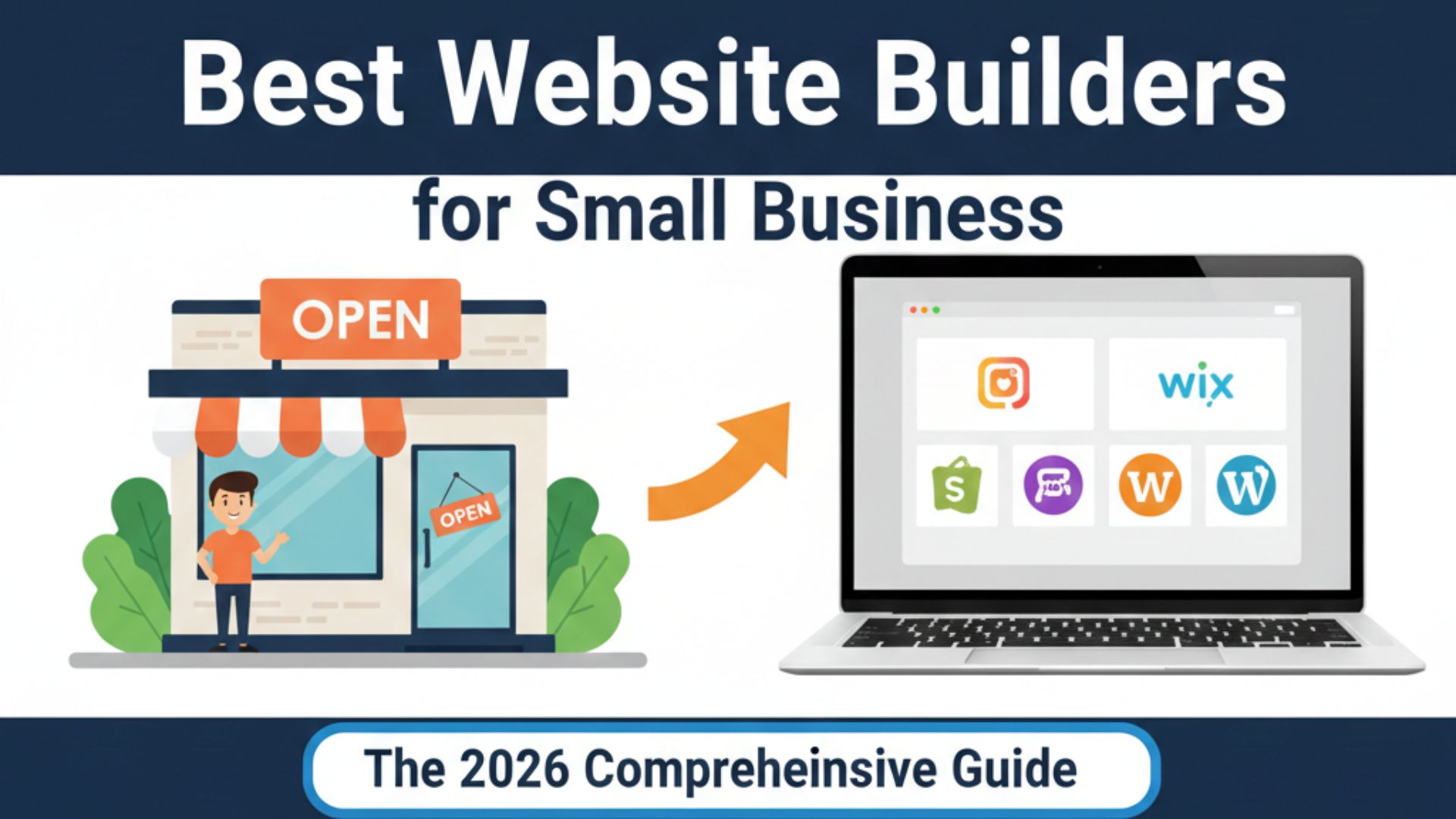
Why Your Business Can't Afford to Wait
In today's digital-first economy, your website isn't just a digital business card—it's your 24/7 sales team, customer service representative, and brand ambassador. Consider these critical statistics that underline why this decision matters:
-
85% of consumers research online before making a purchase (BrightLocal)
-
75% of users judge a company's credibility based on website design (Stanford Web Credibility Research)
-
88% of online consumers are less likely to return after a bad experience (Amazon Web Services)
For small business owners wearing multiple hats, choosing the right website builder means balancing power with simplicity, features with affordability, and professionalism with approachability. This comprehensive guide examines every major platform through the lens of real small business needs, complete with comparative analysis, implementation strategies, and insider insights.
Understanding Website Builder Categories
Before diving into specific platforms, understand that website builders generally fall into three categories:
1. All-in-One Platforms
Complete solutions with hosting, security, templates, and tools in one package. Best for: Most small businesses
Examples: Wix, Squarespace, Weebly
2. E-commerce Specialists
Platforms built specifically for online selling. Best for: Product-based businesses
Examples: Shopify, BigCommerce
3. Content Management Systems (CMS)
Flexible platforms requiring more technical management. Best for: Growing businesses with technical resources
Examples: WordPress.org, Drupal
The Top 8 Website Builders Analyzed
🏆 1. Wix: The Versatile All-Rounder
Overall Score: 9.2/10
Best For: Service businesses, restaurants, creative professionals, consultants
Key Statistics:
-
200+ million users worldwide
-
800+ designer templates
-
99.8% uptime reliability
-
Supported in 190 countries
Pricing Breakdown (Annual Billing):
| Plan | Monthly Cost | Key Features | Best For |
|---|---|---|---|
| Light | $16 | 2GB storage, 30 video minutes | Simple brochure sites |
| Core | $27 | 50GB storage, remove Wix ads | Small service businesses |
| Business | $32 | Online payments, 100GB storage | Basic e-commerce |
| Business Elite | $159 | Unlimited storage, advanced analytics | Scaling businesses |
Why Wix Dominates for Small Businesses:
-
Artificial Design Intelligence (ADI): Wix creates custom websites by asking about your business—revolutionary for non-designers
-
True Drag-and-Drop: Freedom to place elements anywhere, unlike competitors' grid systems
-
App Market: 300+ integrations for booking, marketing, analytics, and more
-
Industry-Specific Solutions: Tailored templates and features for restaurants, fitness studios, salons, etc.
Real Business Case:
*"As a wedding photographer, Wix let me create stunning galleries that actually booked clients. The scheduling integration saved me 10 hours/month on admin work."* — Sarah J., Visual Storyteller Photography
🥈 2. Squarespace: Design Excellence
Overall Score: 8.8/10
Best For: Creatives, premium brands, portfolio-based businesses, bloggers
Design-First Advantages:
-
Award-winning templates with impeccable typography
-
Built-in visual content tools (logo maker, image editor)
-
Consistent aesthetic across all templates
-
Mobile optimization that maintains design integrity
E-commerce Evolution:
Squarespace has transformed from a blogging platform to a serious e-commerce contender:
-
Inventory management with variants
-
Subscription product support
-
Abandoned cart recovery
-
Real-time shipping calculations
Hidden Gem:
The Squarespace Circle community provides exclusive templates, early access to features, and professional networking—invaluable for creative entrepreneurs.
When to Choose Squarespace:
-
Your visual brand is your competitive advantage
-
You prioritize blogging/content marketing
-
You need elegant product displays without complex inventory
-
You value cohesive design over limitless customization
🥉 3. Shopify: E-commerce Powerhouse
Overall Score: 9.0/10 (for e-commerce)
Best For: Online stores, product businesses, multi-channel retailers
By the Numbers:
-
4.4+ million live stores
-
$444 billion in global economic activity
-
175 countries supported
-
5,000+ apps in marketplace
The Shopify Ecosystem Advantage:
Unlike general website builders, Shopify offers an entire business ecosystem:
-
Shopify Payments (bypass transaction fees)
-
Shopify Shipping (discounted carrier rates)
-
Shopify POS (unified online/offline inventory)
-
Shopify Capital (business financing)
-
Shopify Markets (international selling tools)
Newest Features (2024):
-
Shopify Magic: AI tools for product descriptions, email marketing
-
B2B on Shopify: Wholesale capabilities built-in
-
Local delivery optimization
-
Enhanced AR for product visualization
Cost Analysis:
While the $29/month Basic plan seems affordable, remember:
-
Transaction fees (unless using Shopify Payments)
-
App costs (average store uses $40/month in apps)
-
Theme costs (free options limited; premium themes $150-350)
Pro Tip: Start with Shopify Starter ($5/month) if you're selling primarily through social media but need a professional checkout.
4. WordPress.com vs. WordPress.org: Understanding the Difference
Overall Score: 8.5/10 (WordPress.com), 9.5/10 (WordPress.org with resources)
Best For: Content-focused businesses, SEO-driven companies, businesses with growth plans
Critical Distinction:
-
WordPress.com: Hosted solution (similar to Wix/Squarespace)
-
WordPress.org: Self-hosted software (unlimited flexibility)
WordPress.com Plans Compared:
| Plan | Cost | Storage | Best For |
|---|---|---|---|
| Free | $0 | 1GB | Testing only |
| Personal | $4 | 6GB | Simple blogs |
| Premium | $8 | 13GB | Freelancers |
| Business | $25 | 200GB | Small businesses |
| Commerce | $45 | 200GB | Online stores |
The WordPress Advantage:
-
SEO Superiority: Clean code structure preferred by Google
-
Unlimited Growth: Can scale from blog to enterprise
-
Plugin Ecosystem: 60,000+ free plugins
-
Ownership: Complete control over your site and data
The Reality Check:
WordPress requires ongoing maintenance:
-
Regular updates (core, themes, plugins)
-
Security management
-
Performance optimization
-
Backup solutions
Recommended Agency Partners for WordPress:
-
WP Engine (managed hosting): $20/month
-
Elementor Pro (page builder): $59/year
-
Yoast SEO (optimization): $89/year
Visit WordPress.com | WordPress.org
5. Weebly (by Square): Payment Integration Champion
Overall Score: 8.0/10
Best For: Brick-and-mortar businesses, Square POS users, simple online stores
The Square Integration Advantage:
If you already use Square for payments, Weebly offers seamless synchronization:
-
Unified inventory (online and in-store)
-
Customer database integration
-
Sales analytics in one dashboard
-
Loyalty programs that work everywhere
Pricing Transparency:
Weebly's pricing is notably straightforward:
-
Free: Basic features with Square ads
-
Personal ($10): Connect custom domain
-
Professional ($12): Advanced site stats
-
Performance ($26): E-commerce features
Limitations to Consider:
-
Less design flexibility than competitors
-
Smaller template library (50+ themes)
-
Limited third-party apps
-
Basic blogging tools
Ideal User Profile:
-
Restaurant or retail store with existing Square POS
-
Service business needing simple online booking
-
First-time website creator prioritizing simplicity
-
Businesses focused on local customers
6. GoDaddy Website Builder: Speed Over Sophistication
Overall Score: 7.5/10
Best For: Quick launches, service businesses, entrepreneurs with limited time
The Speed Promise:
GoDaddy's AI-powered builder can create a functional website in under an hour by:
-
Asking about your business
-
Generating industry-appropriate content
-
Automatically optimizing for mobile
-
Suggesting professional images
All-in-One Convenience:
Many small businesses choose GoDaddy because they can get:
-
Domain registration
-
Website hosting
-
Professional email
-
Marketing tools
-
Phone support
...all from one provider with one bill.
Pricing Structure:
-
Basic ($9.99): 1-page site, social integration
-
Premium ($14.99): Unlimited pages, SEO tools
-
Commerce ($16.99): Online selling features
-
Commerce Plus ($29.99): Automated shipping, abandoned cart)
The Trade-off:
You sacrifice design flexibility and advanced features for speed and simplicity. The template customization options are notably limited compared to Wix or Squarespace.
7. BigCommerce: Shopify's Enterprise Alternative
Overall Score: 8.7/10 (for scaling businesses)
Best For: Growing e-commerce businesses, B2B companies, multi-store operations
Enterprise Features at SMB Prices:
BigCommerce includes features that Shopify charges extra for:
-
No transaction fees (with any payment processor)
-
Built-in B2B functionality
-
Multi-storefront management
-
Advanced SEO tools included
Pricing Comparison:
| Plan | Monthly | Annual Sales Limit | Key Features |
|---|---|---|---|
| Standard | $29 | $50k | Single-page checkout |
| Plus | $79 | $180k | Customer groups |
| Pro | $299 | $400k | Google customer reviews |
| Enterprise | Custom | Unlimited | Price lists, API |
The Learning Curve:
BigCommerce has more complexity than Shopify, which means:
-
Steeper initial learning
-
More powerful customization
-
Better for technical users
-
Potentially higher development costs
Success Story:
*"We migrated from Shopify to BigCommerce when we hit $200k in sales. The built-in features saved us $150/month in app fees, and the B2B tools opened wholesale accounts worth $50k annually."* — Michael T., Outdoor Gear Co.
8. Webflow: Designer Freedom
Overall Score: 8.3/10 (for design-focused businesses)
Best For: Agencies, designers, tech startups, businesses with unique design needs
The Webflow Difference:
Webflow combines visual design freedom with professional CMS capabilities:
-
Design like Photoshop, publishes like WordPress
-
Clean, semantic code output
-
Advanced animations without coding
-
Client billing built-in (for agencies)
Pricing Tiers:
Site Plans (for published sites):
-
Basic ($14/month): Simple sites
-
CMS ($23/month): Blogging sites
-
Business ($39/month): Larger businesses
-
Enterprise (Custom): High-traffic sites
Account Plans (for workspace):
-
Starter (Free): 2 projects
-
Core ($19/month): 10 projects
-
Freelancer ($35/month): Unlimited projects
-
Agency (Custom): Team features
The Reality:
Webflow has a significant learning curve but offers unmatched design control. It's overkill for simple sites but transformative for businesses where design is a competitive advantage.
Industry-Specific Recommendations
Service Businesses (Consultants, Contractors, Agencies)
Primary Choice: Wix
-
Why: Appointment scheduling, service packages, client portals
-
Template Examples: "Consulting Pro," "Service Business"
-
Essential Apps: Wix Bookings, Wix Invoices, Live Chat
Restaurants & Food Service
Primary Choice: Squarespace
-
Why: Menu displays, reservation systems, online ordering integration
-
Key Features: OpenTable integration, gift card sales, event management
-
Template Examples: "Bella," "Nova"
Retail Stores (Brick-and-mortar with online presence)
Primary Choice: Weebly (Square)
-
Why: Unified inventory, local pickup options, loyalty programs
-
Implementation: Start with free plan, upgrade as online sales grow
-
Integration: Square POS, QuickBooks, Mailchimp
Online-Only Product Businesses
Primary Choice: Shopify
-
Why: Multi-channel selling, inventory management, shipping automation
-
Starting Point: Basic Shopify ($29) with 2-3 essential apps
-
Growth Path: Upgrade to Shopify ($79) at $10k/month in sales
Creative Professionals (Photographers, Artists, Designers)
Primary Choice: Squarespace
-
Why: Portfolio displays, client galleries, print sales integration
-
Template Examples: "Mojave," "Haute," "Avenue"
-
Add-ons: Art Store, Scheduling with Acuity
Bloggers & Content Creators
Primary Choice: WordPress.com
-
Why: Superior blogging tools, SEO optimization, community features
-
Plan: Premium ($8) for most, Business ($25) for monetization
-
Plugins: Jetpack (included), social sharing, newsletter tools
Local Service Area Businesses (Plumbers, Electricians, Cleaners)
Primary Choice: GoDaddy
-
Why: Quick setup, service area targeting, review integration
-
Features: Online booking, quote requests, service pages
-
Marketing: Built-in SEO, Google Business Profile integration
Feature Comparison Matrix
| Feature | Wix | Squarespace | Shopify | WordPress.com |
|---|---|---|---|---|
| Ease of Use | 10/10 | 9/10 | 8/10 | 6/10 |
| Design Flexibility | 10/10 | 8/10 | 7/10 | 9/10 |
| E-commerce Features | 8/10 | 8/10 | 10/10 | 7/10 |
| Blogging Tools | 7/10 | 9/10 | 6/10 | 10/10 |
| SEO Capabilities | 8/10 | 9/10 | 9/10 | 10/10 |
| App/Plugin Ecosystem | 8/10 | 6/10 | 10/10 | 10/10 |
| Mobile Responsiveness | 9/10 | 10/10 | 9/10 | 8/10 |
| Customer Support | 8/10 | 9/10 | 10/10 | 7/10 |
| Value for Money | 9/10 | 8/10 | 8/10 | 9/10 |
| Scalability | 8/10 | 7/10 | 10/10 | 10/10 |
Implementation Roadmap: From Zero to Launch in 30 Days
Week 1: Foundation & Planning
-
Define Objectives: Sales? Leads? Information? (Set SMART goals)
-
Analyze Competitors: What works in your industry?
-
Gather Assets: Logo, images, brand colors, content
-
Choose Platform: Based on this guide's recommendations
-
Register Domain: Use Namecheap or Google Domains ($12-15/year)
Week 2: Structure & Design
-
Select Template: Choose 2-3, then pick the best
-
Wireframe Pages: Sketch layout for Home, About, Services, Contact
-
Set Up Navigation: Clear, intuitive menu structure
-
Implement Branding: Colors, fonts, logo placement
-
Mobile Optimization: Test on multiple devices
Week 3: Content Development
-
Write Compelling Copy: Focus on benefits, not features
-
Optimize Images: Compress, add alt text
-
Create Calls-to-Action: Clear next steps on every page
-
Set Up Forms: Contact, quote requests, newsletter signups
-
Add Essential Pages: Privacy policy, terms of service
Week 4: Testing & Launch
-
Technical Testing: Links, forms, loading speed
-
Browser Testing: Chrome, Safari, Firefox, Edge
-
Mobile Testing: iOS, Android, tablets
-
SEO Setup: Titles, descriptions, schema markup
-
Soft Launch: Share with team for feedback
-
Official Launch: Go live and submit to Google
Cost Analysis: First Year Budgeting
Scenario A: DIY Approach
-
Platform: Wix Core ($27/month = $324/year)
-
Domain: $15/year
-
Professional Email: Google Workspace ($72/year)
-
Stock Photos: $100 (one-time)
-
Total First Year: $511
Scenario B: Professional Help
-
Platform: Squarespace Business ($23/month = $276/year)
-
Domain: $15/year
-
Professional Design: $1,500 (one-time)
-
Content Creation: $800 (one-time)
-
Ongoing Maintenance: $50/month = $600/year
-
Total First Year: $3,191
Scenario C: E-commerce Business
-
Platform: Shopify Basic ($29/month = $348/year)
-
Apps: $40/month average = $480/year
-
Transaction Fees: 2.9% + 30¢ per sale (variable)
-
Professional Theme: $200 (one-time)
-
Product Photography: $500 (one-time)
-
Total First Year: $1,528 (excluding transaction fees)
Common Mistakes to Avoid
1. Choosing Based on Price Alone
The cheapest option often costs more in lost opportunities. A $10/month savings means little if it costs you $1,000 in monthly sales.
2. Ignoring Mobile Experience
With 60%+ traffic from mobile devices, a poor mobile experience directly impacts revenue.
3. DIY When You Should Hire
If design isn't your strength and your website is your primary sales tool, invest in professional help.
4. Forgetting SEO from Day One
Basic SEO setup takes minutes but can take months to show results. Start immediately.
5. No Clear Calls-to-Action
Every page should guide visitors toward a desired action. Don't make them guess what to do next.
6. Slow Loading Speed
Every 1-second delay reduces conversions by 7%. Optimize images and choose fast hosting.
7. Copying Competitors Exactly
Be inspired by competitors but differentiate. Your unique value proposition should be immediately clear.
8. Setting and Forgetting
Websites require regular updates, fresh content, and performance monitoring.
Future Trends to Watch
1. AI Integration
-
Content generation: Tools like ChatGPT for product descriptions
-
Personalization: Dynamic content based on visitor behavior
-
Customer service: AI chatbots for 24/7 support
2. Voice Search Optimization
-
Natural language content
-
FAQ schema implementation
-
Local business optimization for voice queries
3. Visual Search
-
Image-based product discovery
-
AR product visualization
-
Enhanced visual filtering
4. Sustainability Focus
-
Green hosting options
-
Carbon footprint calculators
-
Sustainable business storytelling
5. Hyper-Personalization
-
Dynamic pricing based on user behavior
-
Customized product recommendations
-
Individualized user journeys
Frequently Asked Questions (FAQs)
General Questions
Q: How much does a small business website cost?
A: DIY solutions range from $150-600 annually. Professionally built sites range from $1,500-5,000 initially plus $500-1,200 annually for maintenance. E-commerce sites typically cost $2,000-10,000+ depending on complexity.
Q: How long does it take to build a website?
A: DIY with a website builder: 20-40 hours over 2-4 weeks. Professional development: 4-12 weeks depending on scope and revisions.
Q: Can I build a website myself without technical skills?
A: Absolutely. Modern website builders like Wix and Squarespace are designed specifically for non-technical users. Most small business owners can create professional sites with these tools.
Q: What's more important: beautiful design or functionality?
A: Both are crucial, but functionality should slightly lead. A beautiful site that doesn't convert visitors is just digital art. Focus on clear navigation, fast loading, and easy conversion paths first, then enhance design.
Technical Questions
Q: What is responsive design and why does it matter?
A: Responsive design means your website automatically adjusts to different screen sizes (desktop, tablet, mobile). It matters because Google penalizes non-responsive sites in mobile search results, and 60%+ of web traffic comes from mobile devices.
Q: Do I need to know HTML/CSS to use website builders?
A: No. All modern website builders use visual editors that don't require coding knowledge. However, knowing basic HTML/CSS can help with advanced customization on some platforms.
Q: What's the difference between a website and a landing page?
A: A website is your complete online presence with multiple pages. A landing page is a single page designed for a specific marketing campaign. Many businesses need both: a comprehensive website plus campaign-specific landing pages.
Q: Can I switch website builders later?
A: Yes, but it's easier with some platforms than others. You can typically export content (text, images) but may need to recreate design elements. Some migration services specialize in platform transitions.
Business Strategy Questions
Q: Should I include pricing on my website?
A: This depends on your industry. Service businesses with custom pricing often omit specific prices, while product businesses should display prices. Consider your competitors and customer expectations.
Q: How do I get my website to appear on Google?
A: Submit your sitemap to Google Search Console, ensure proper SEO implementation, create quality content regularly, and build legitimate backlinks. Most sites appear in search results within days to weeks.
Q: Do I need a blog for my business website?
A: Highly recommended. Blogs improve SEO, establish expertise, provide social media content, and can drive significant traffic. Even one quality post per month provides benefits.
Q: How often should I update my website?
A: At minimum, review content every 6 months. Ideally, add fresh content weekly or monthly. Technical updates (security, performance) should be addressed as needed.
E-commerce Specific Questions
Q: Should I use Shopify or build an e-commerce site with Wix/Squarespace?
A: For serious online stores (>20 products or >$1,000/month in sales), choose Shopify. For simple stores with few products, Wix or Squarespace e-commerce may suffice.
Q: What payment processors should I use?
A: Offer multiple options: Stripe and PayPal cover most customers. Consider adding Apple Pay and Google Pay for mobile conversions. Shopify Payments (for Shopify users) avoids transaction fees.
Q: How do I handle shipping costs?
A: Offer free shipping on orders over a certain amount (industry standard is $50+). For smaller orders, calculate real-time carrier rates or offer flat-rate shipping. Clearly communicate policies.
Q: What about sales tax?
A: Use automated tax calculation tools. Shopify, BigCommerce, and others include this. For complex multi-state situations, consider TaxJar or Avalara integration.
Legal & Compliance
Q: What legal pages do I need?
A: At minimum: Privacy Policy (required if collecting any data), Terms of Service (recommended). E-commerce sites also need Return/Refund Policy. Industry-specific disclosures may apply.
Q: Is my website ADA compliant?
A: Not automatically. While builders provide accessibility tools, compliance requires active implementation. Use built-in features, test with tools like WAVE, and consider professional audits for higher-risk industries.
Q: Who owns my website content?
A: Typically, you own content you create. However, review your website builder's Terms of Service. Stock images/icons may have licensing restrictions. Ensure you have rights to all published content.
Final Recommendations
For Most Small Businesses: Wix
The best balance of ease of use, design freedom, and features. Excellent for service businesses, restaurants, and creative professionals.
For E-commerce Focus: Shopify
Unmatched for online stores. The ecosystem, support, and scalability justify the cost for serious product businesses.
For Design-Centric Brands: Squarespace
The most aesthetically polished platform. Ideal for businesses where visual brand is a competitive advantage.
For Content Marketing: WordPress.com
Superior blogging and SEO capabilities. Best for businesses building authority through content.
For Absolute Beginners: GoDaddy
The fastest path to a functional website. Perfect for businesses needing basic online presence quickly.
For Brick-and-Mortar Retail: Weebly (Square)
Seamless integration with Square POS makes this ideal for physical stores adding online sales.
Next Steps: Your Action Plan
-
Audit Your Needs: List must-have features vs. nice-to-haves
-
Test Platforms: Use free trials (most offer 14-30 days free)
-
Set Budget: Include platform costs, domain, email, and potential professional help
-
Create Timeline: Realistic timeline with milestones
-
Launch & Learn: Go live, then continuously optimize based on analytics
Remember: Your website is never "finished." It's a living asset that should evolve with your business. Start with a solid foundation using the right builder, then continuously improve based on customer feedback and performance data.
Your online presence begins with one decision. Choose wisely, build strategically, and watch your business grow.